
Your whole shop, in your phone.
Dealpad is a simple sales and stock system that lives on your Android phone. It tracks each item from the shipment to the customer and shows you what to buy next.
US$15a month for your business. Agents and staff use it free.
Four ways dealers use Dealpad
On your own
Dealpad works fully for one person. Your stock, sales, orders, payment plans and swaps sit on one phone, so nothing lives only in your head.
With shops and staff
Staff sign in with their own PIN and cash up each shift in US$, ZiG and EcoCash. Price cuts need your OK.
With agents
Hand out stock with limits you set. Each agent's balance updates as soon as their sales reach you.
As a dealer and an agent at once
Sell your own stock and another dealer's from the same app. Each dealer's stock and balance stay separate.
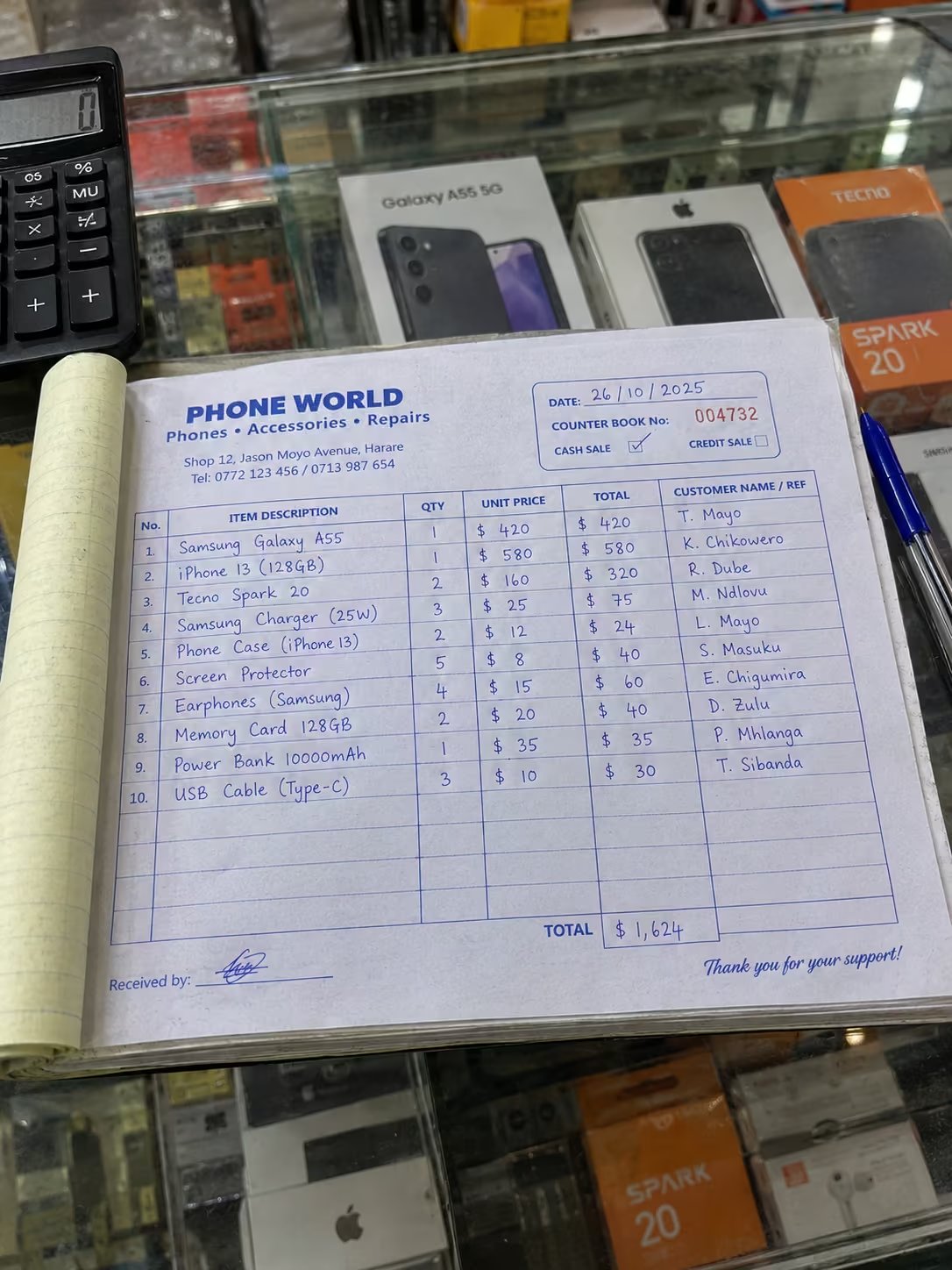
Your counter book, with the sums done for you.
- 1Galaxy A15 · with TendaiIMEI 35 482109 ••• 21US$185
- 2Redmi 13C · with RudoIMEI 86 120477 ••• 07US$140
- 3Tendai's balanceowes youUS$370
A day of trading, screen by screen
Follow one shipment from the border to your customers. Every screen below comes from the app.
No. 001Receive
A shipment arrives. Scan each box, add freight, duty and clearing, and Dealpad works out what each phone cost you.
- Batch scan with a running countRECEIVED
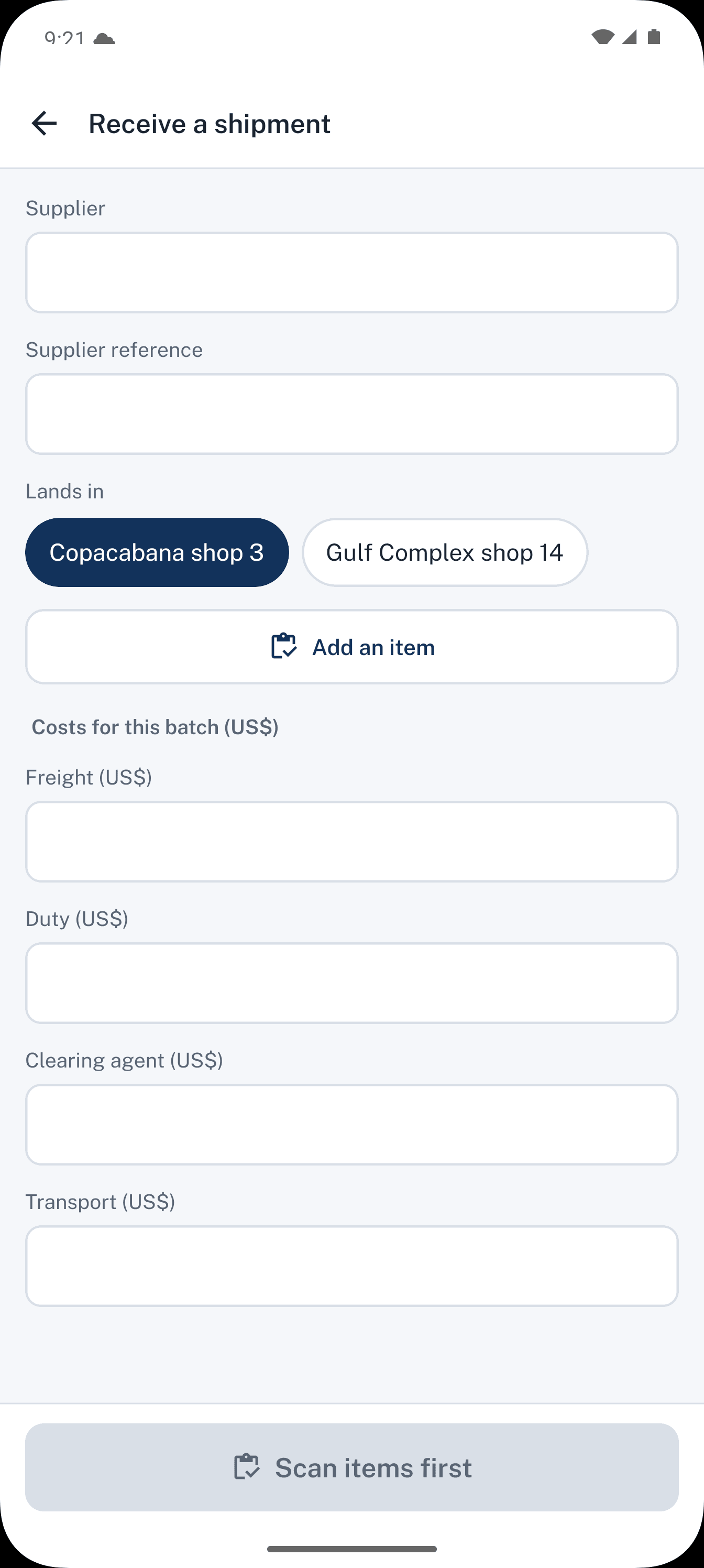
- Landed cost per unit
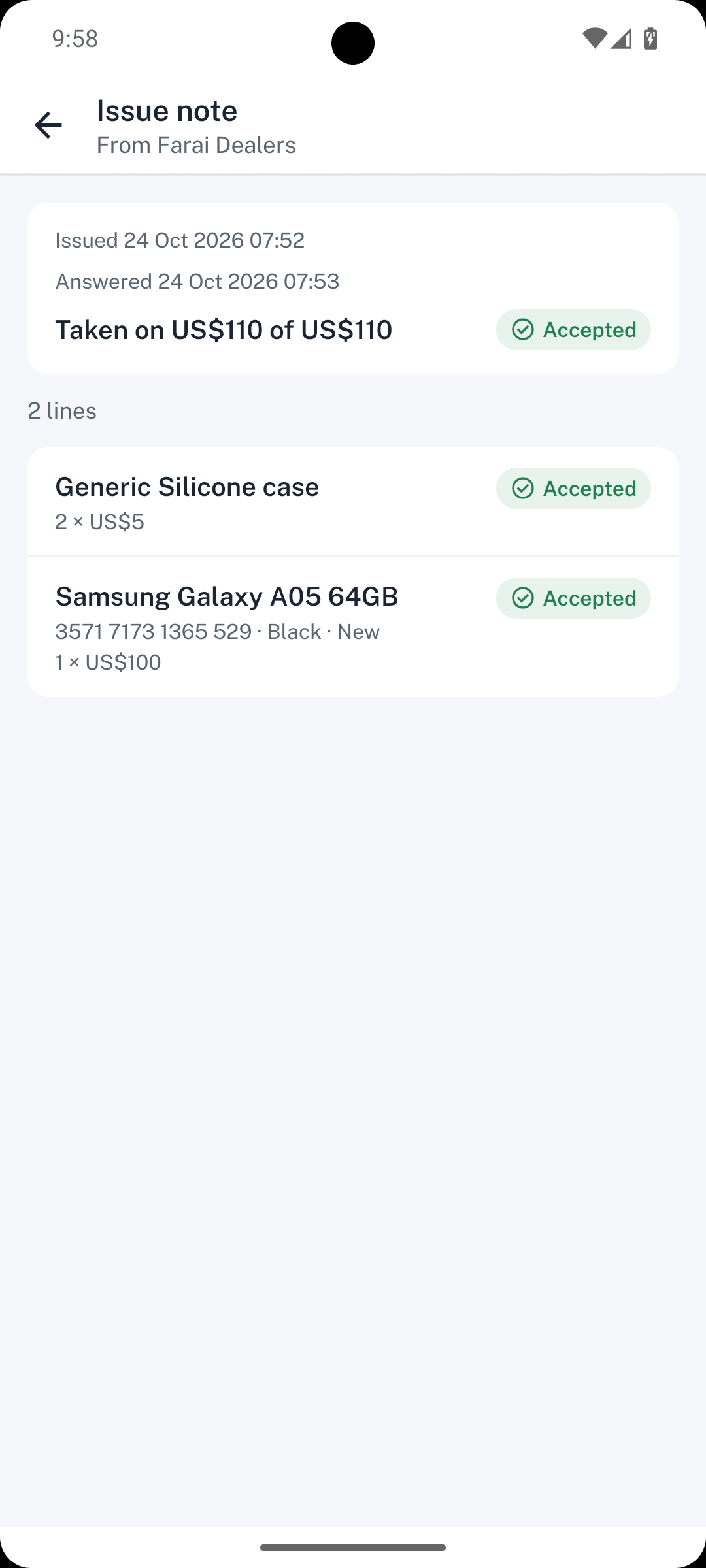
No. 002Issue
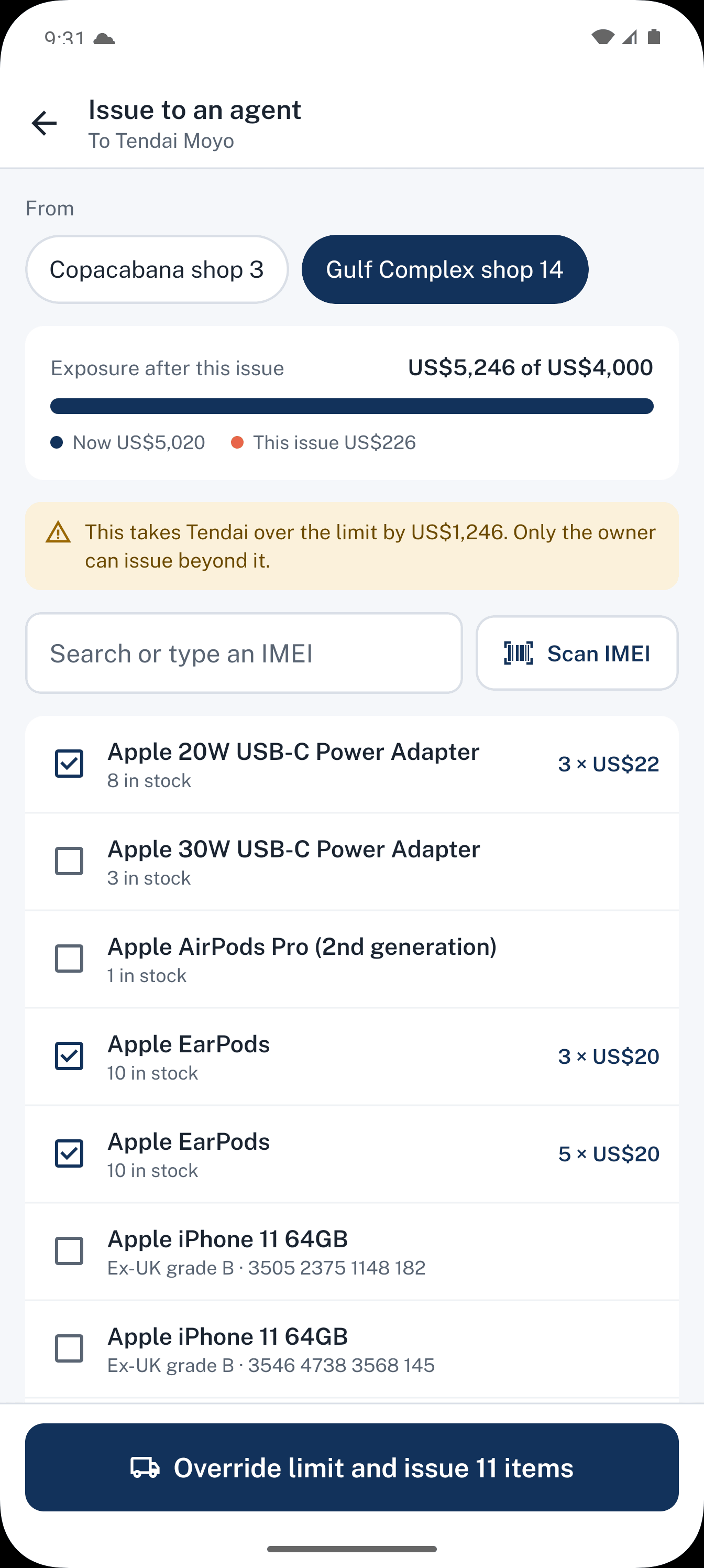
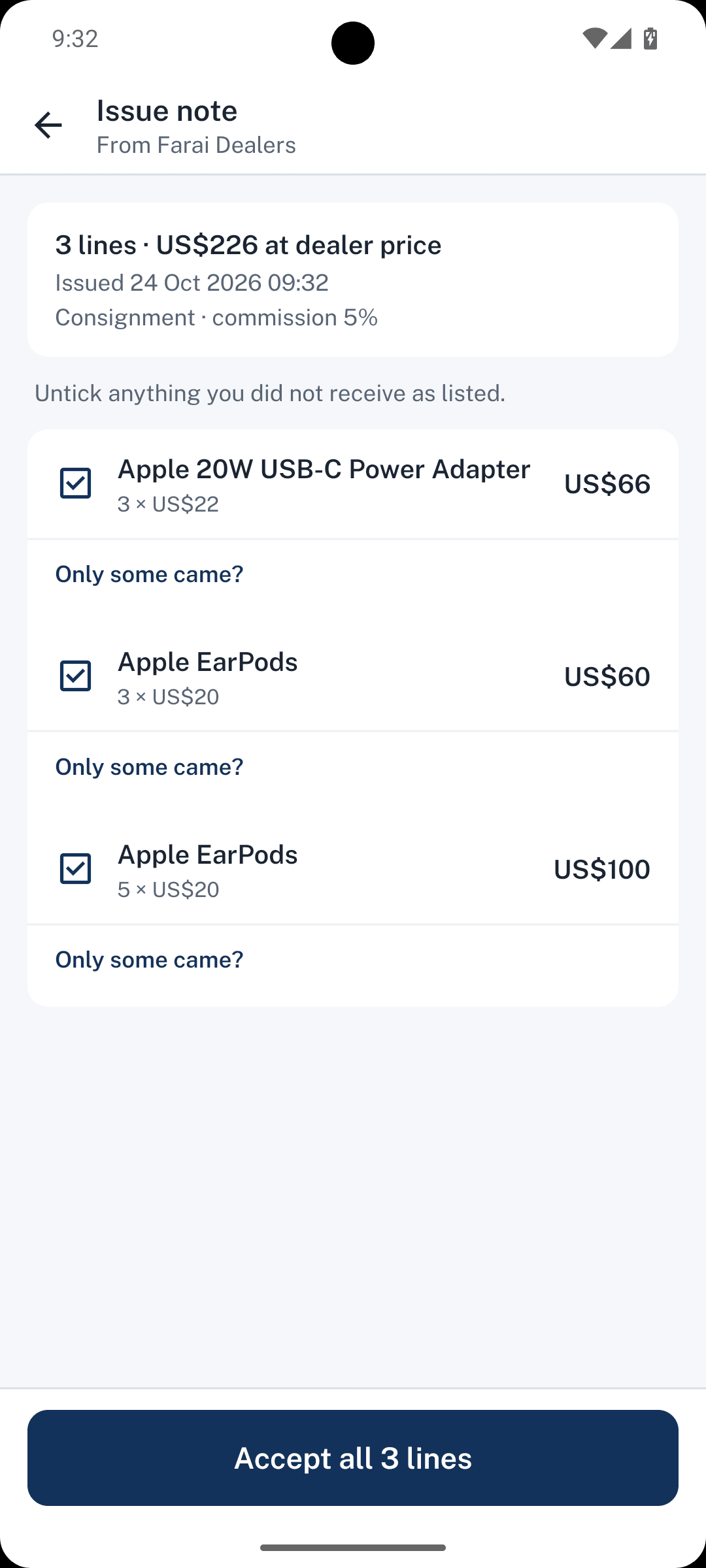
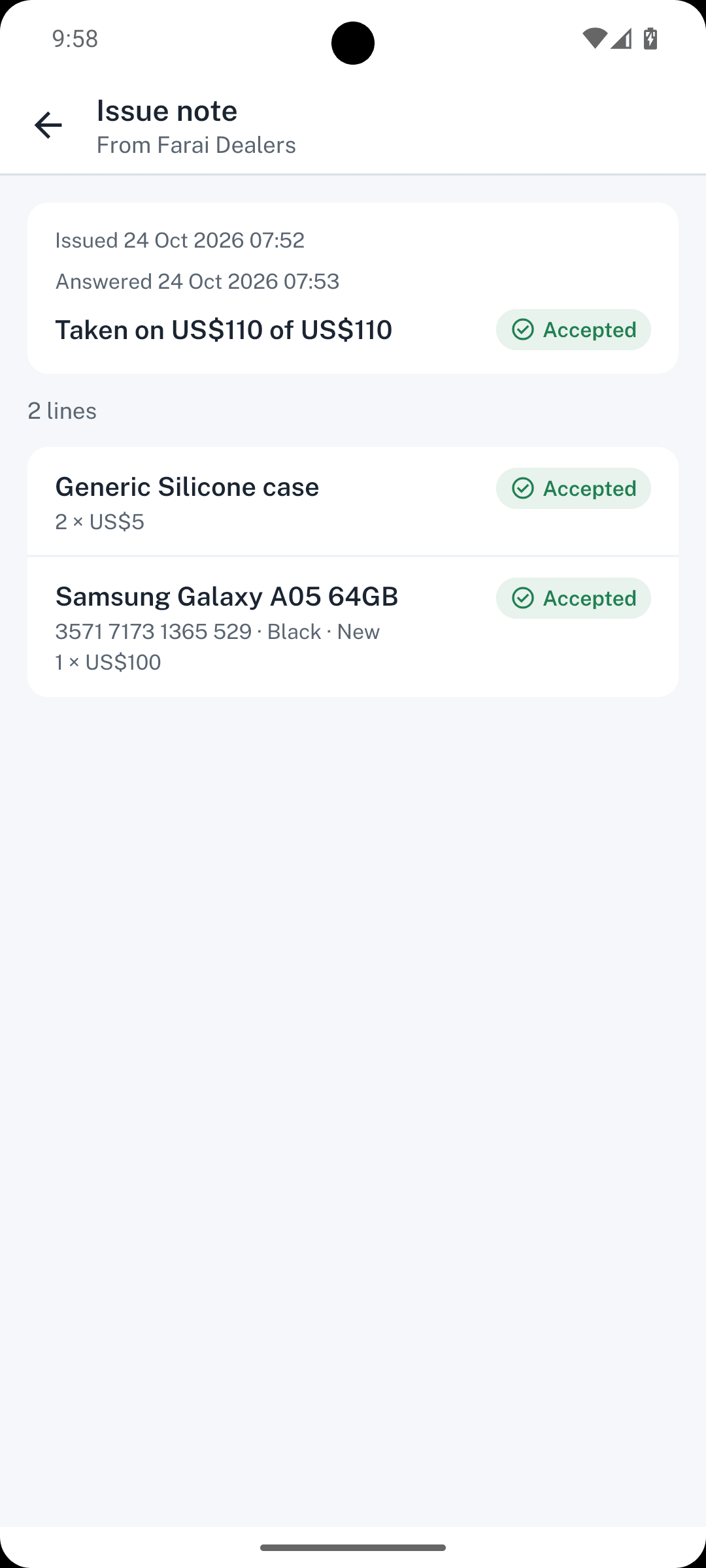
Give 10 phones to Tendai. They show as on the way until he accepts them on his phone. From then on, he answers for them.
- Pick units by scan
- Issue note on Tendai's phone
- Tendai acceptsACCEPTED
No. 003Sell
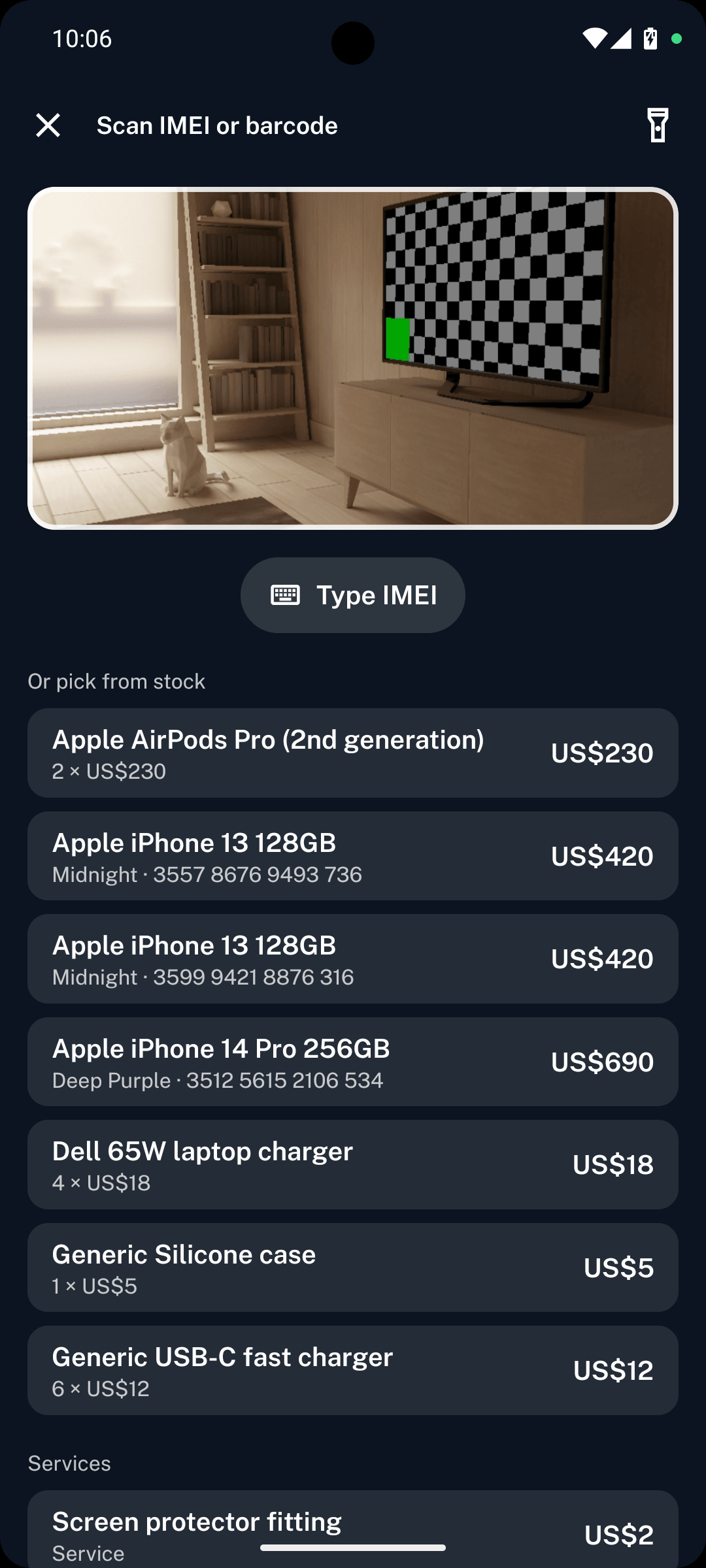
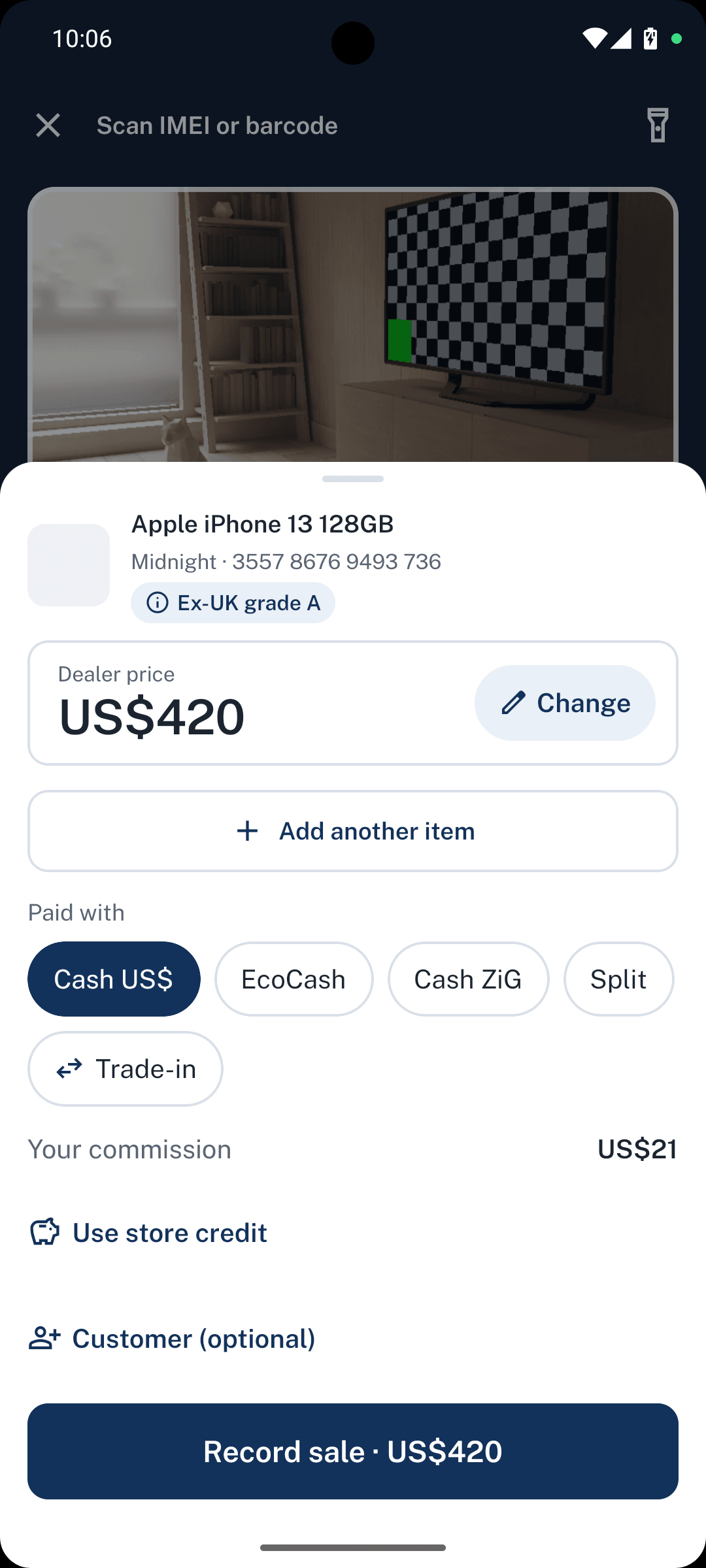
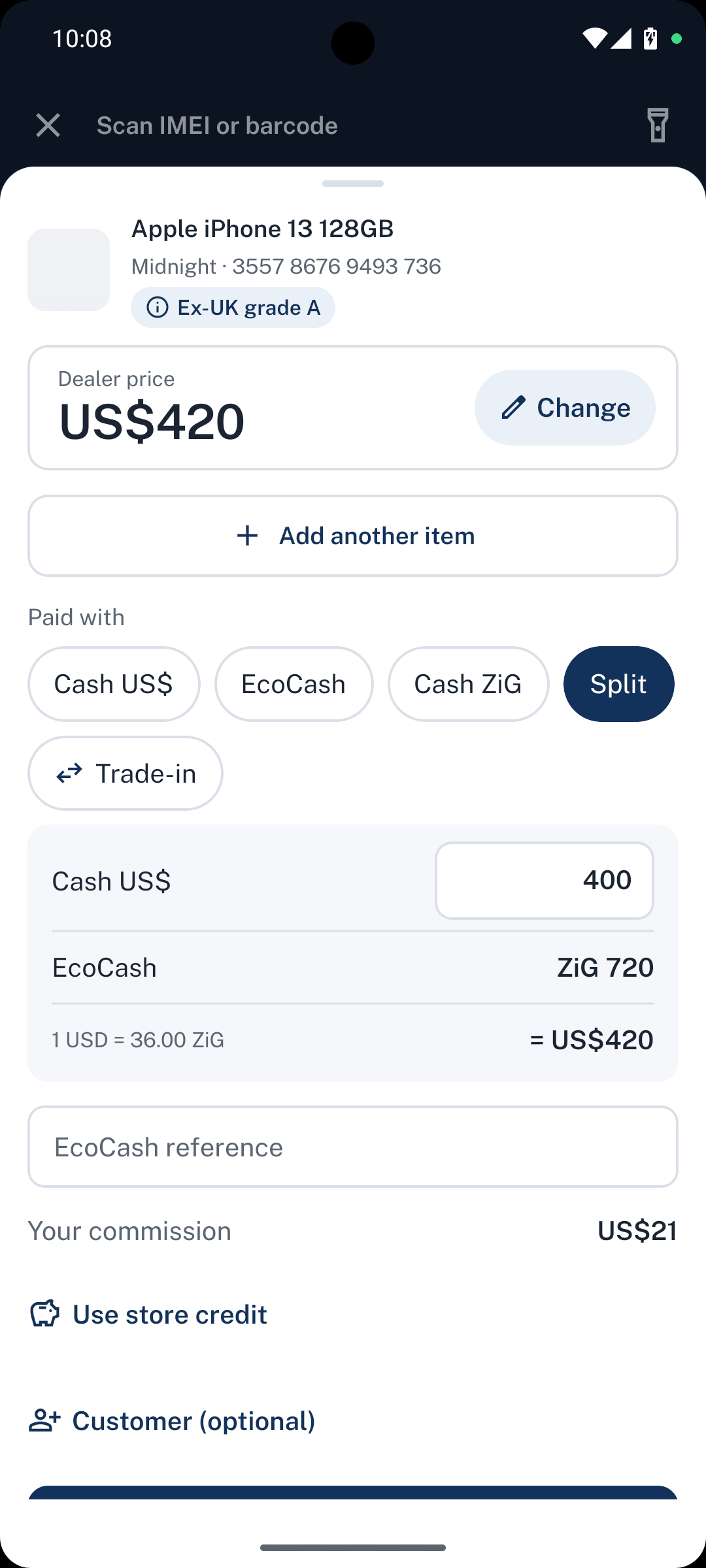
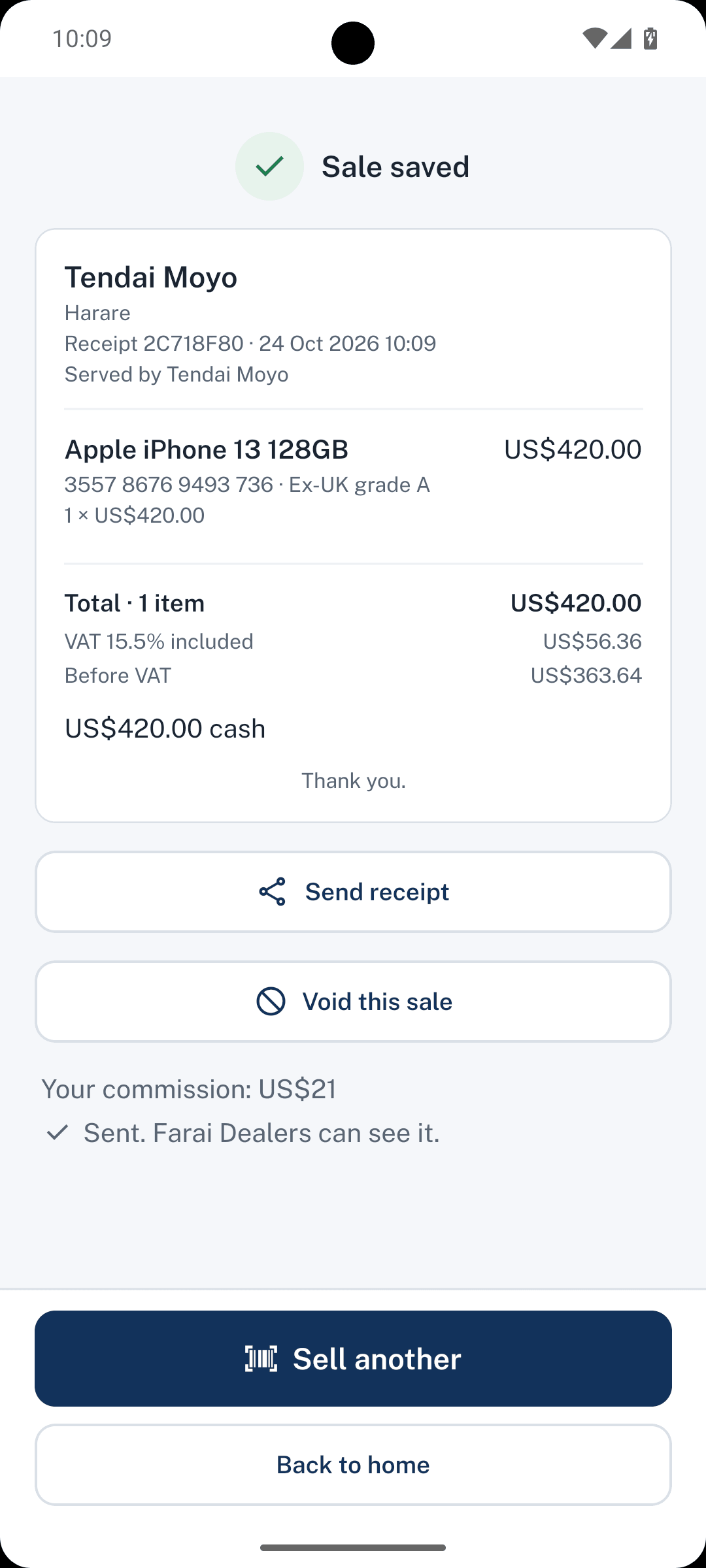
Tendai sells at the rank with no signal. He scans the phone, takes US$200 cash and the rest by EcoCash, and the sale waits on his phone until signal returns.
- Scan
- Price
- Split payment in US$ and EcoCash
- Sale done, waiting to sendSOLD
No. 004Approve
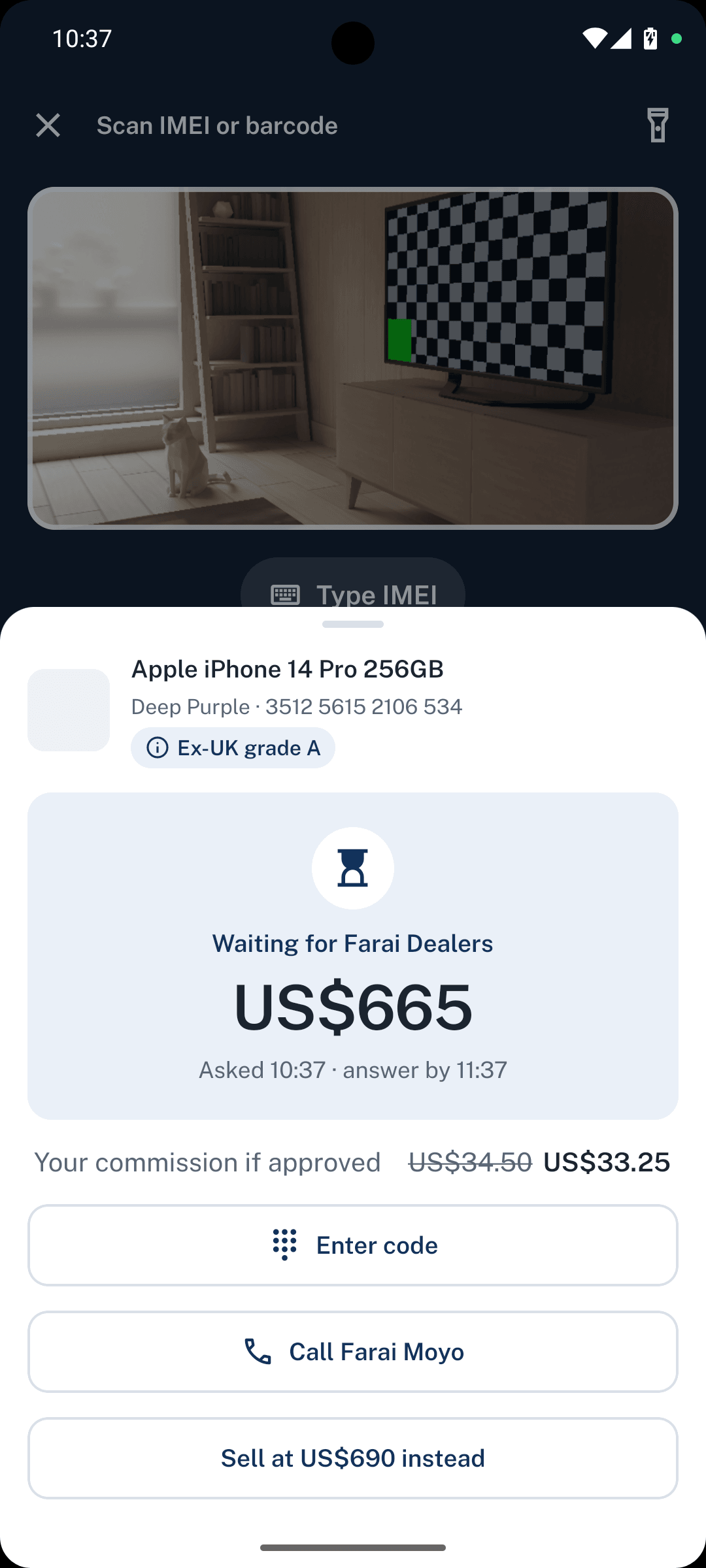
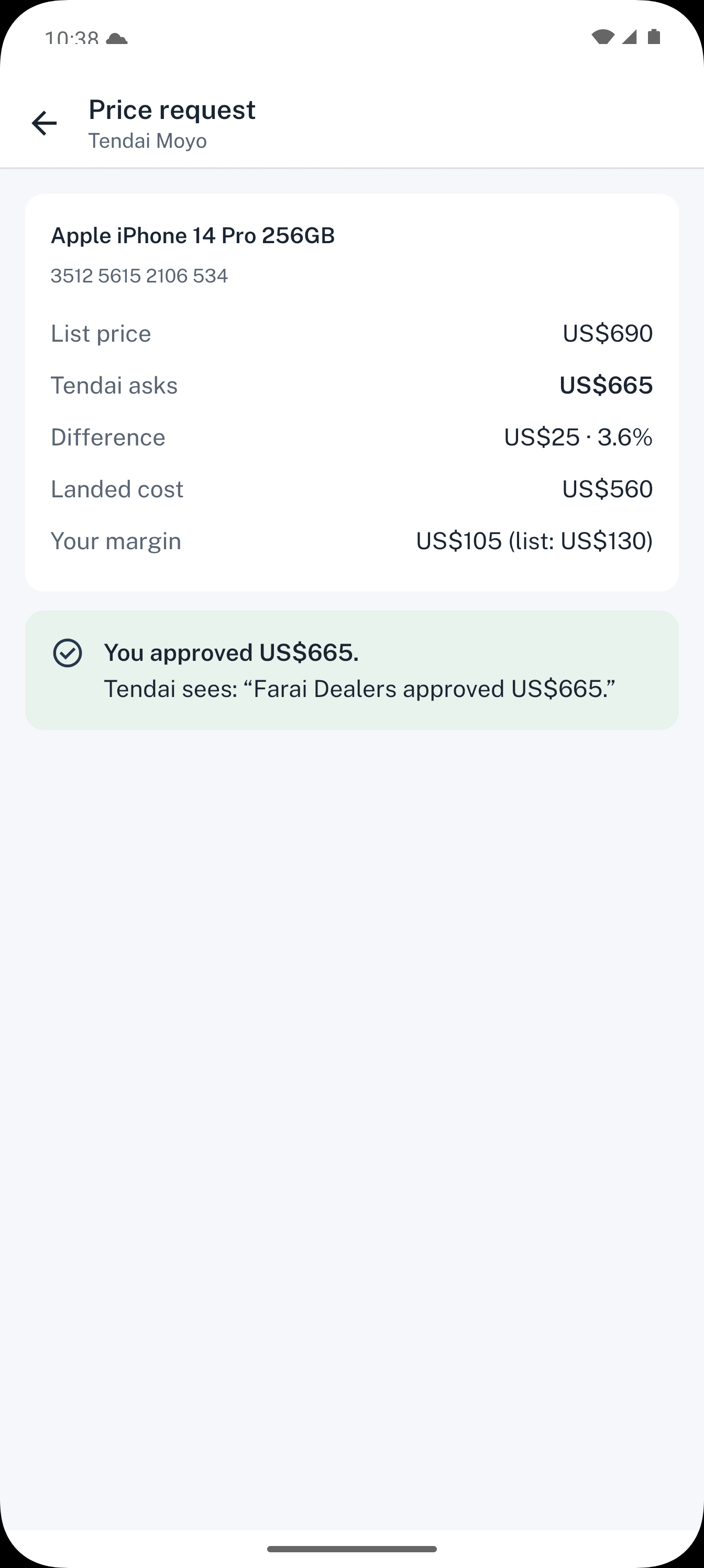
A customer offers US$1,750 for a US$1,800 phone. Tendai sends you the offer and sees what it does to his commission. You approve or counter from your phone.
- Tendai's request and his commission
- Your approval cardAPPROVED
No. 005Get paid
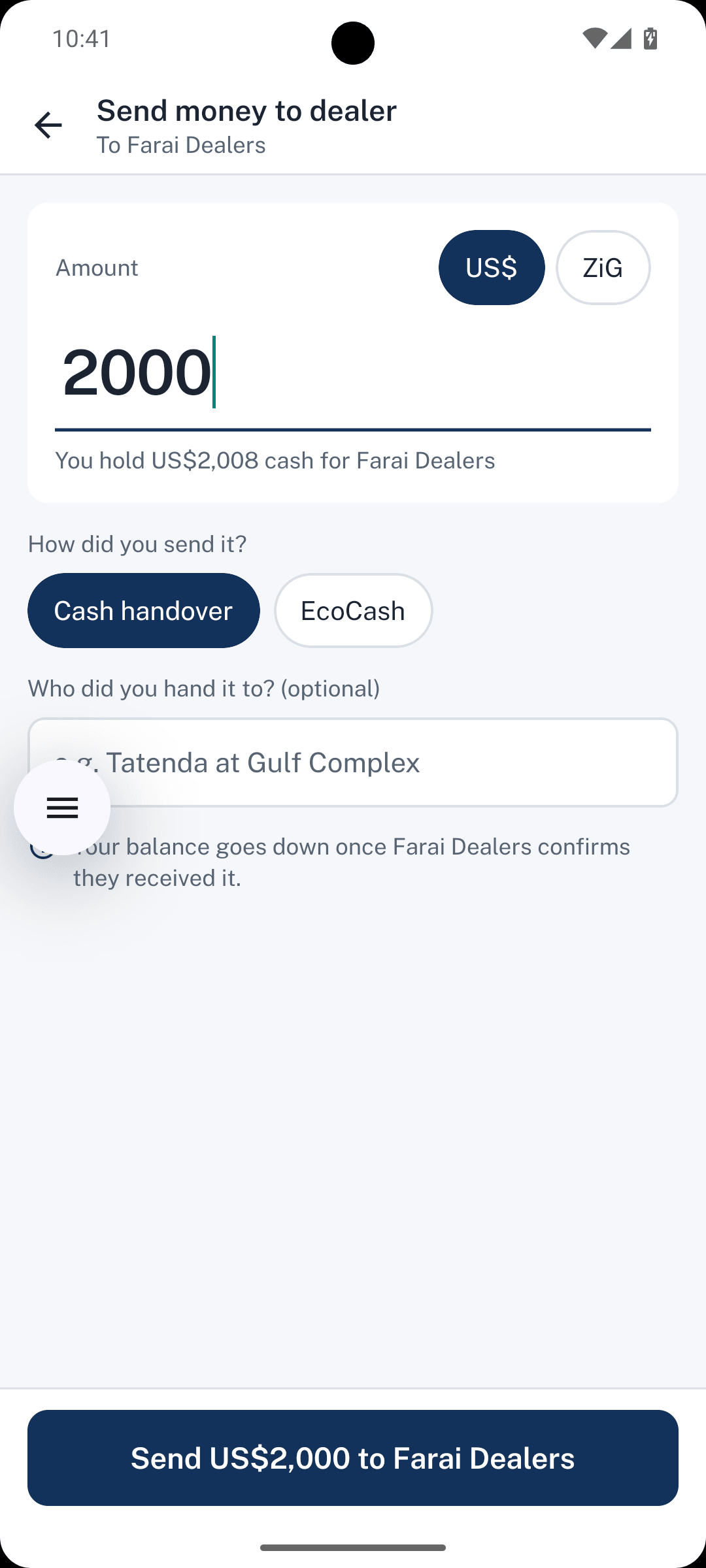
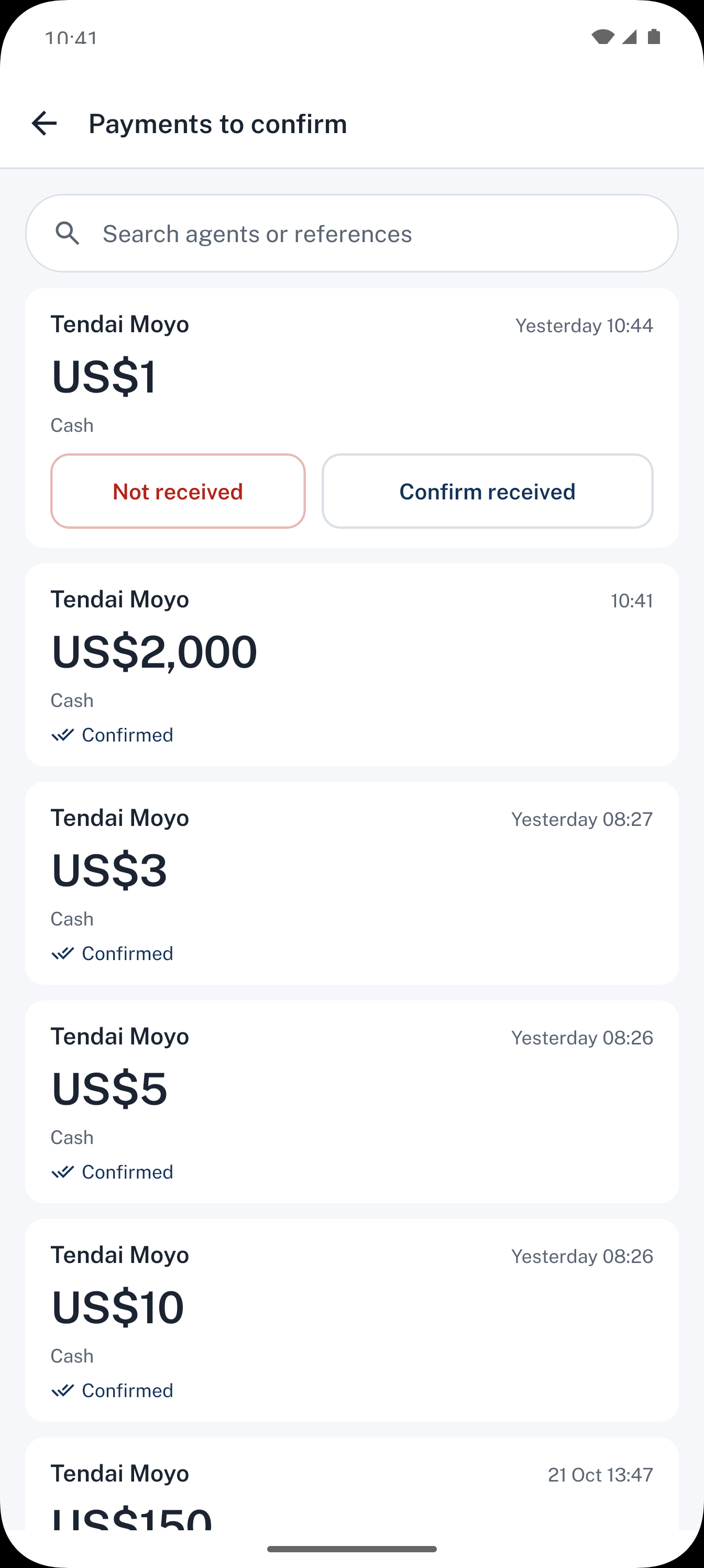
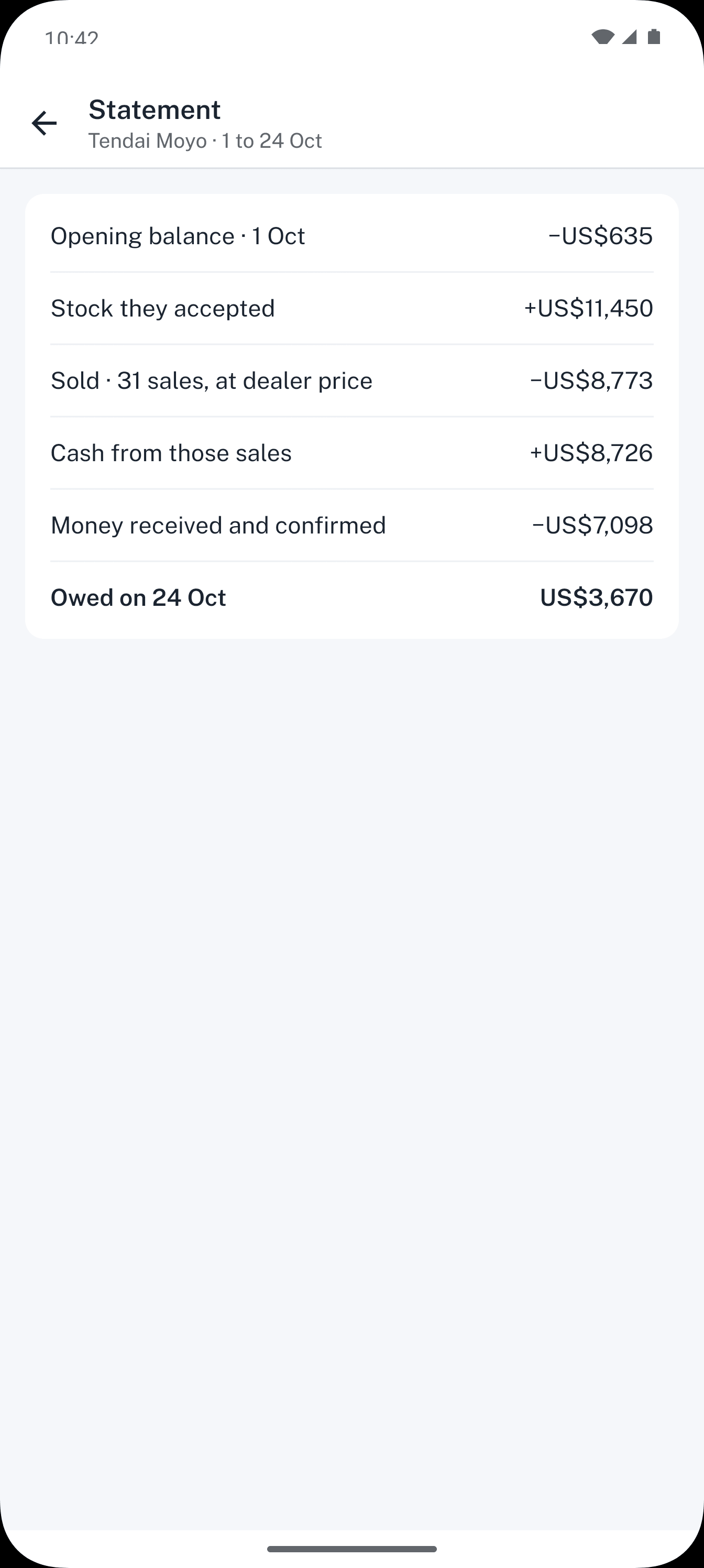
Tendai sends you money by EcoCash and records it in Dealpad. You confirm when it arrives, and his balance updates.
- Send money
- You confirmPAID
- Tendai's statement
No. 006Order
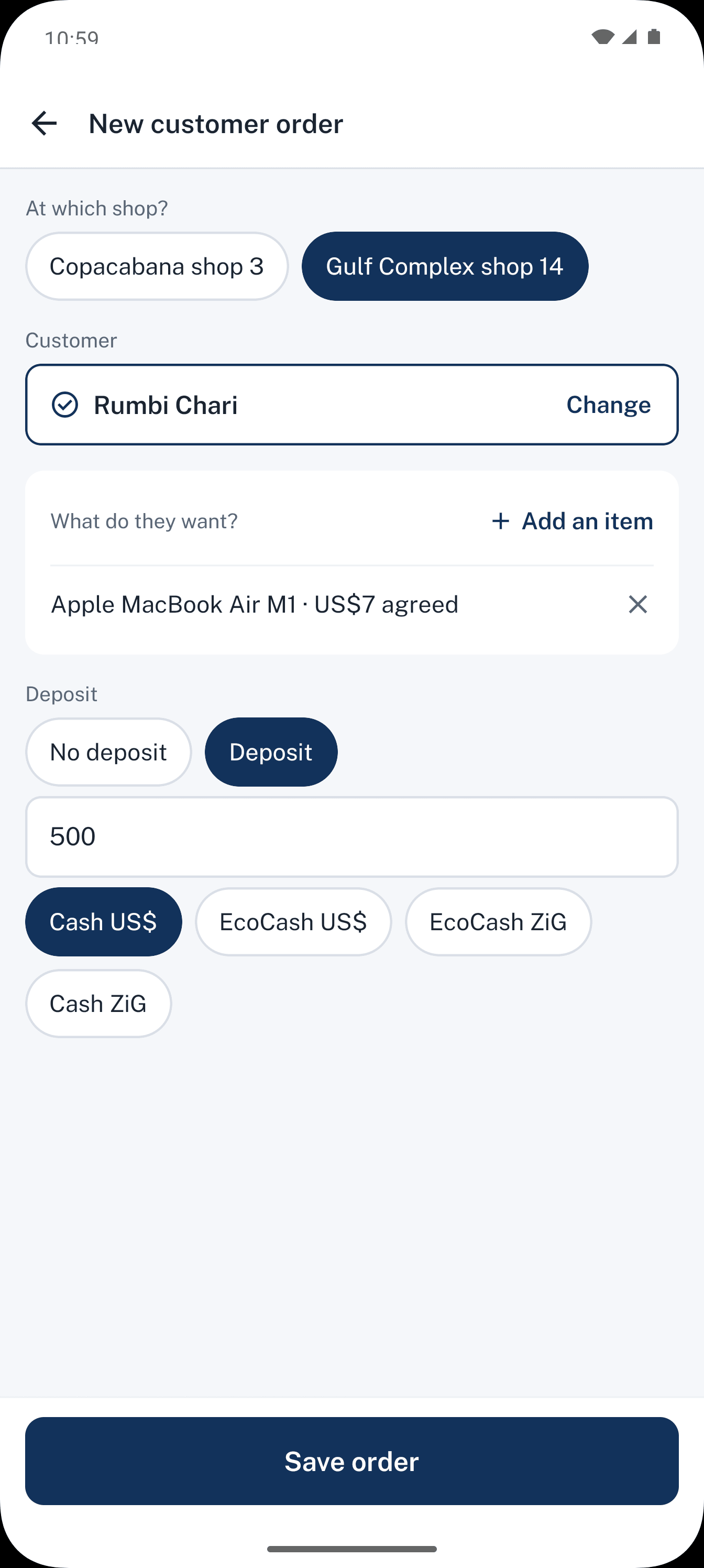
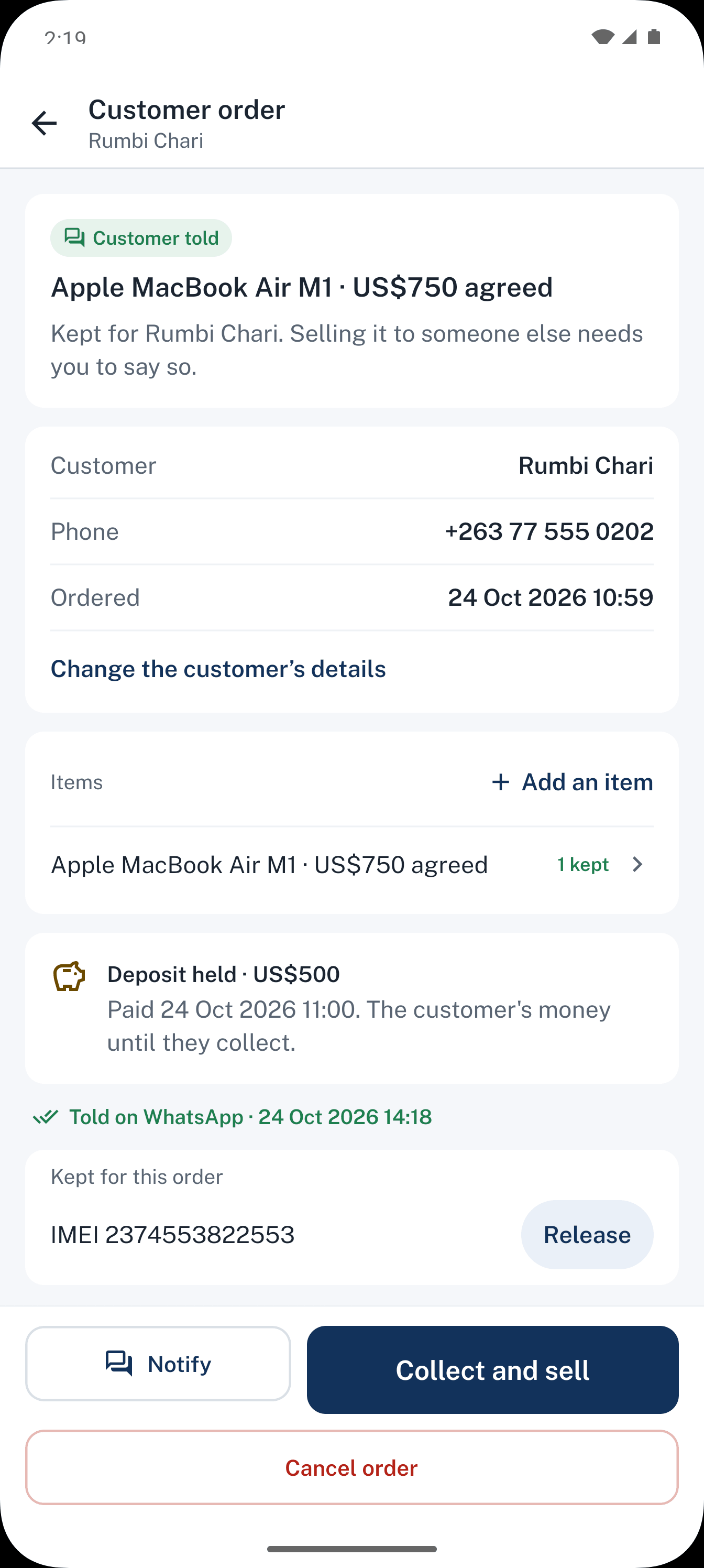
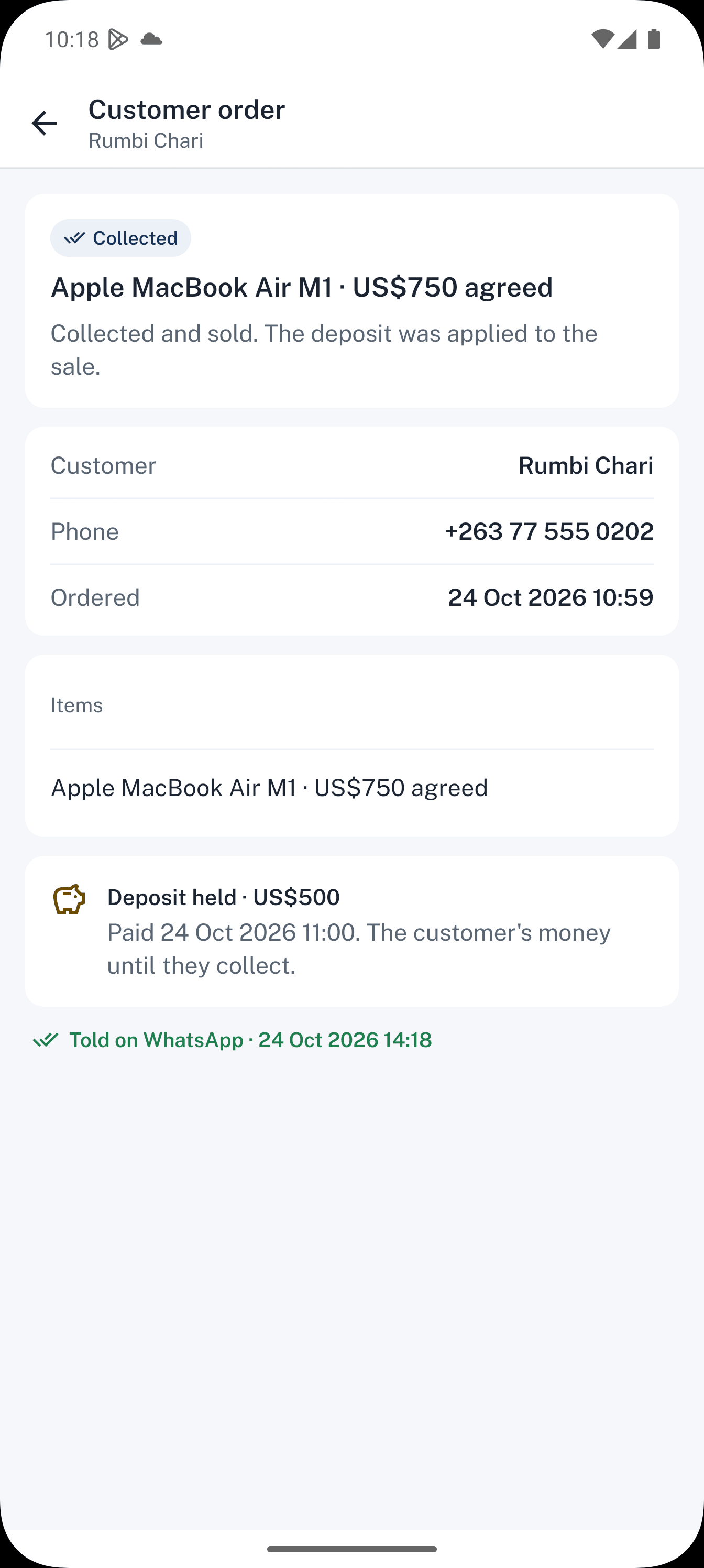
Someone wants a phone nobody has in stock. Take an order, with or without a deposit. When the stock lands, Dealpad shows you who is waiting, and you message them on WhatsApp with one tap.
- Order with a deposit
- Stock arrives & customer notified
- Collected
No. 007Swap
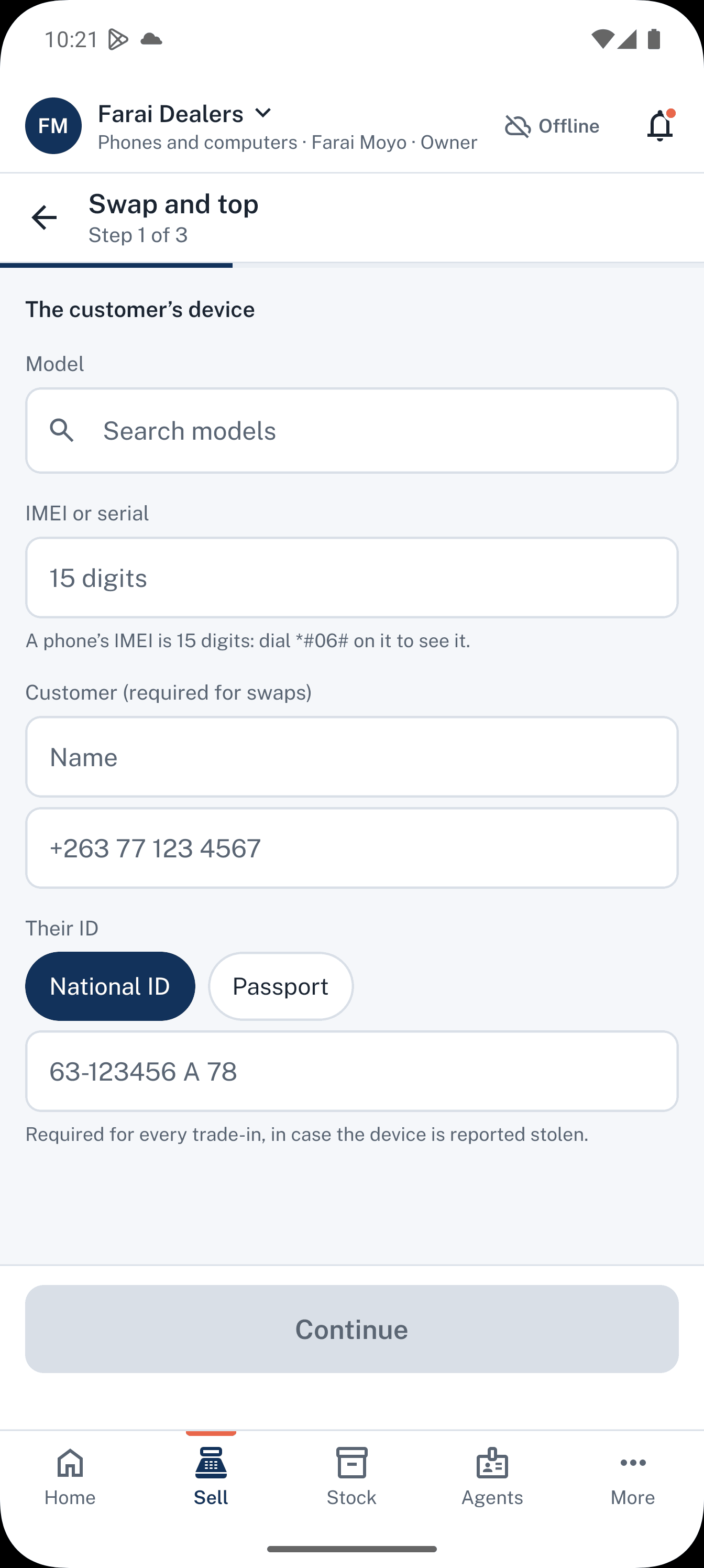
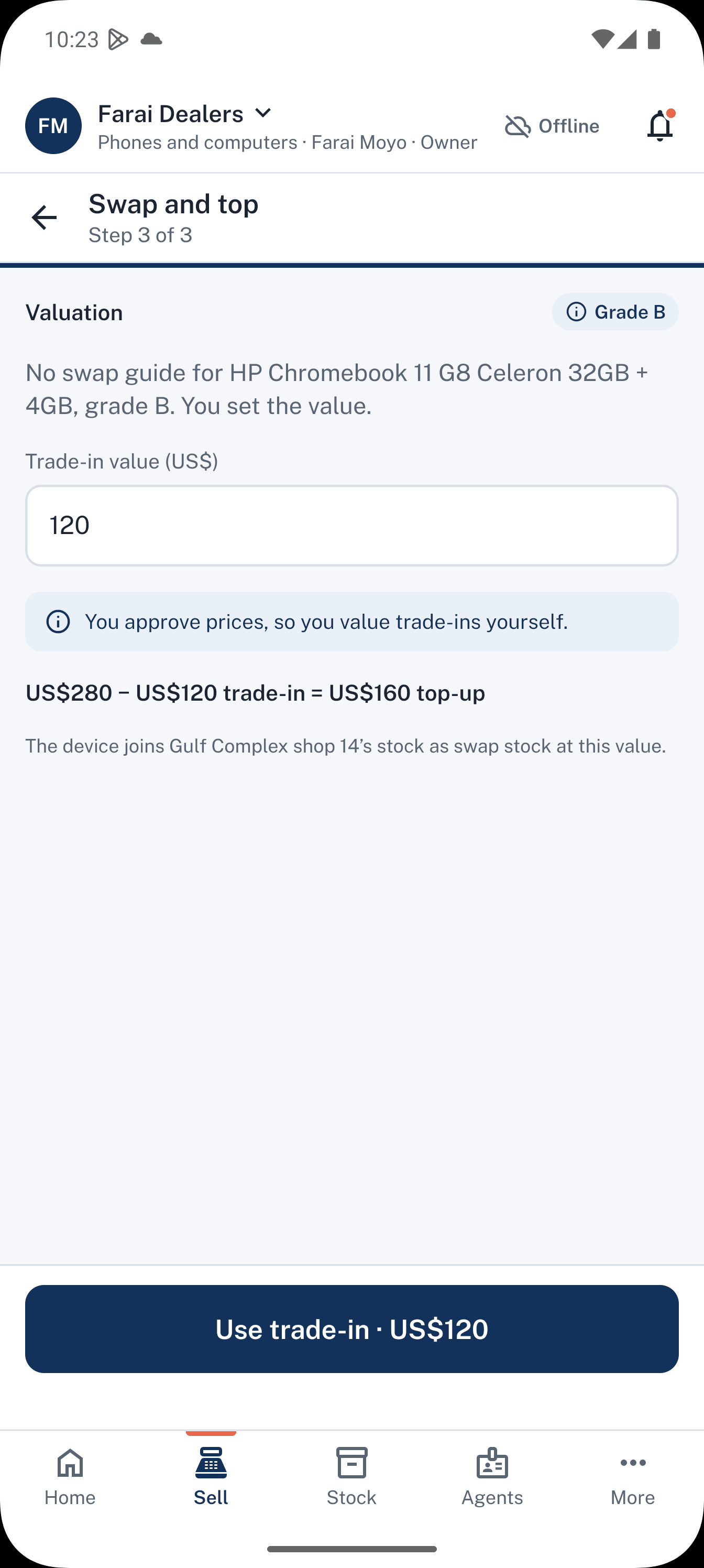
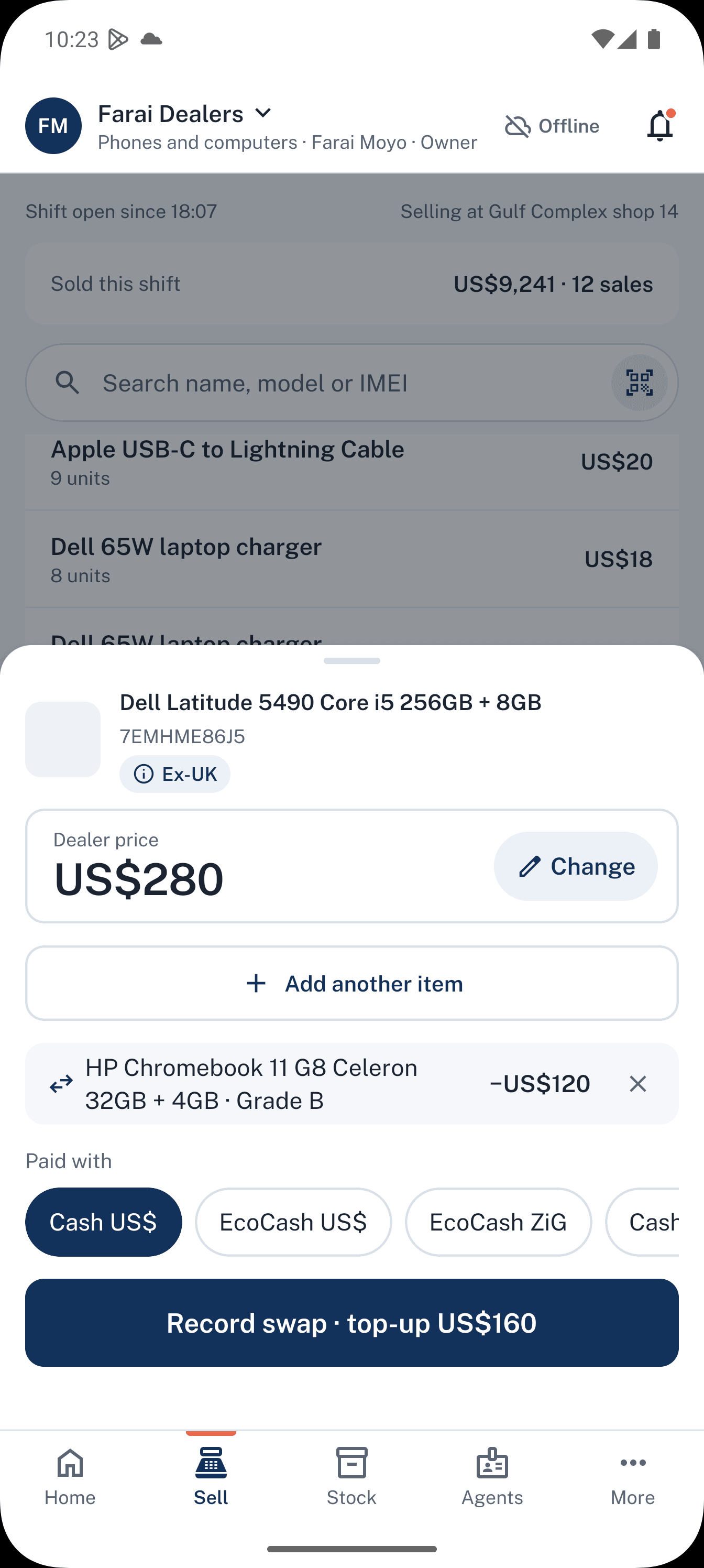
A customer brings an iPhone 11 to trade up. Check it, record the IMEI, agree a value, and take the top-up in cash or EcoCash.
- Trade-in checklist
- Valuation
- Top-up paymentSWAPPED
No. 008Plan
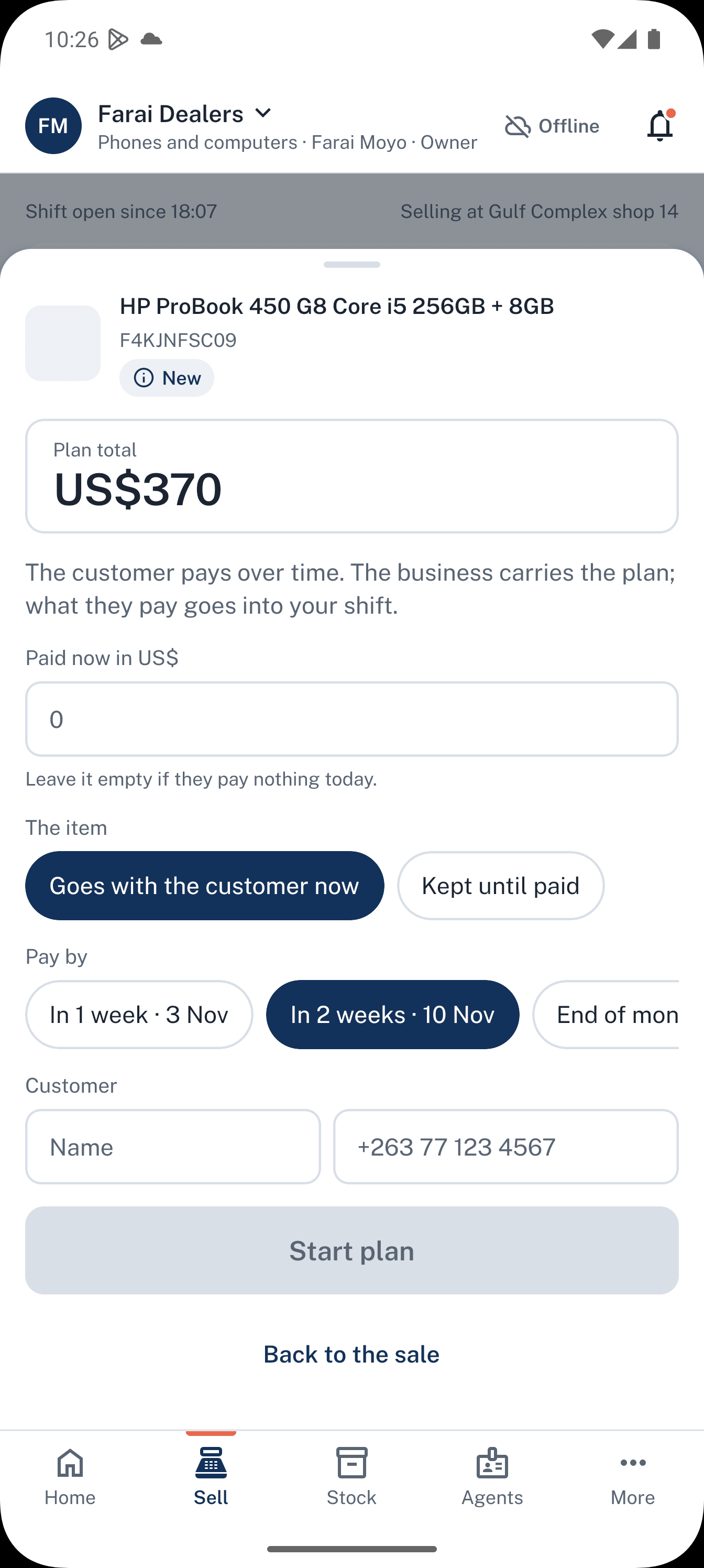
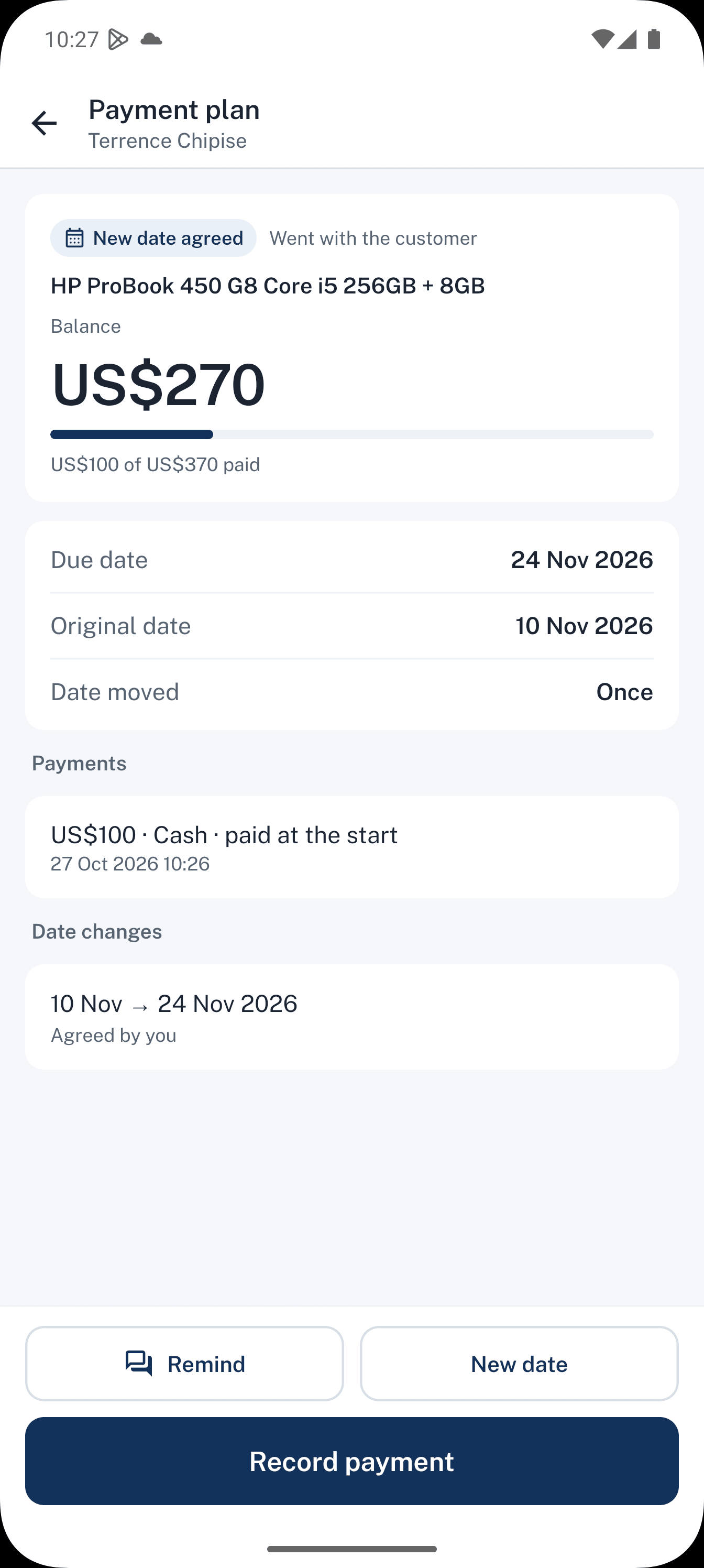
A regular customer pays over three months. Record each payment as it comes in. If the date moves, the plan keeps the original date and each change.
- Plan with paymentsON PLAN
- Extension history
No. 009Trace
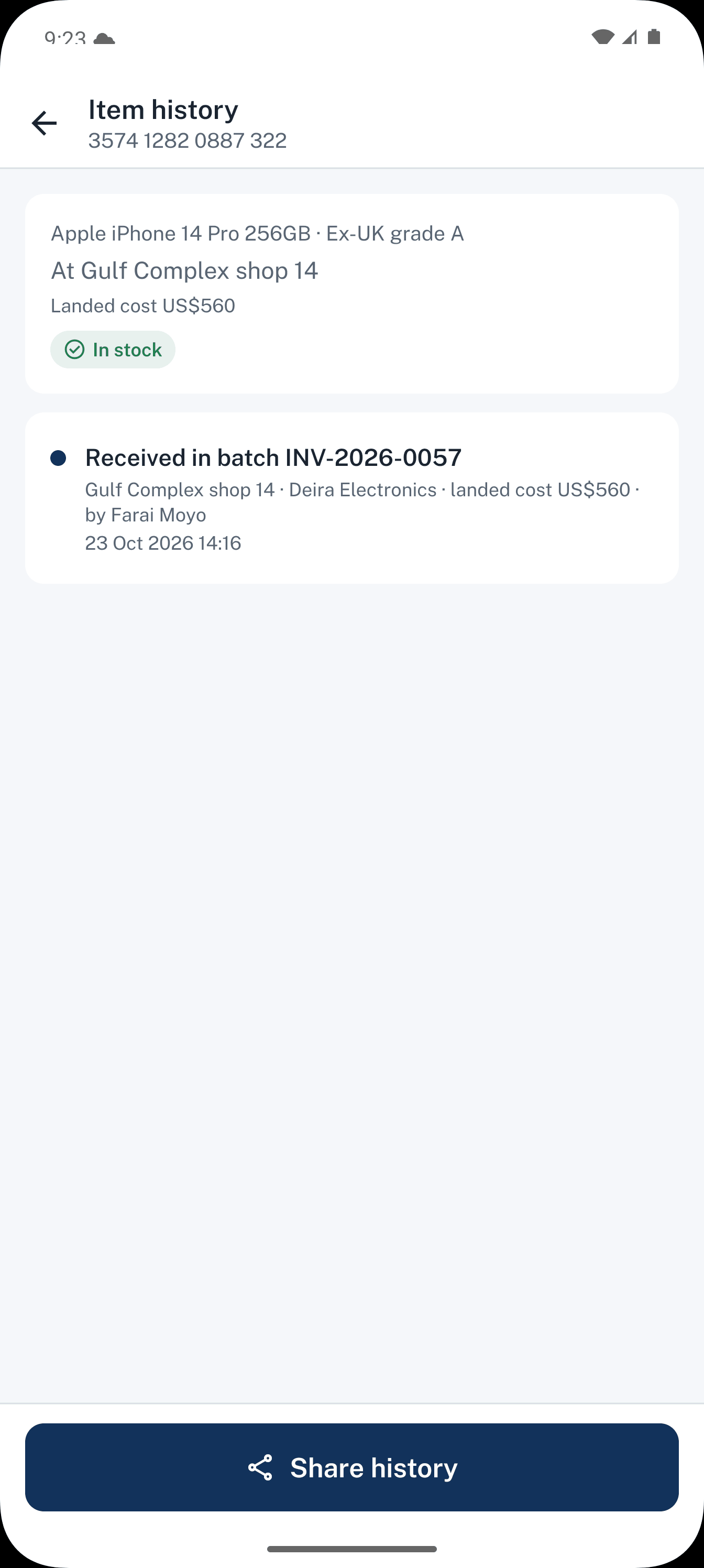
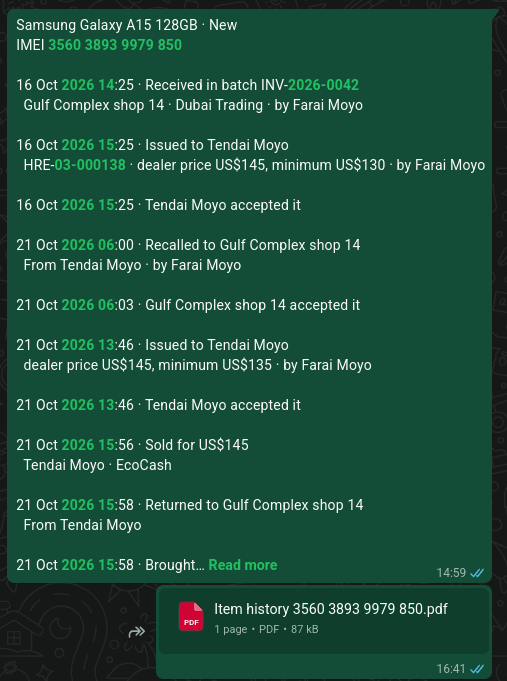
Someone says a phone was stolen. Scan the IMEI and show its history: the shipment it came in, who held it, and who bought it.
- IMEI lookup
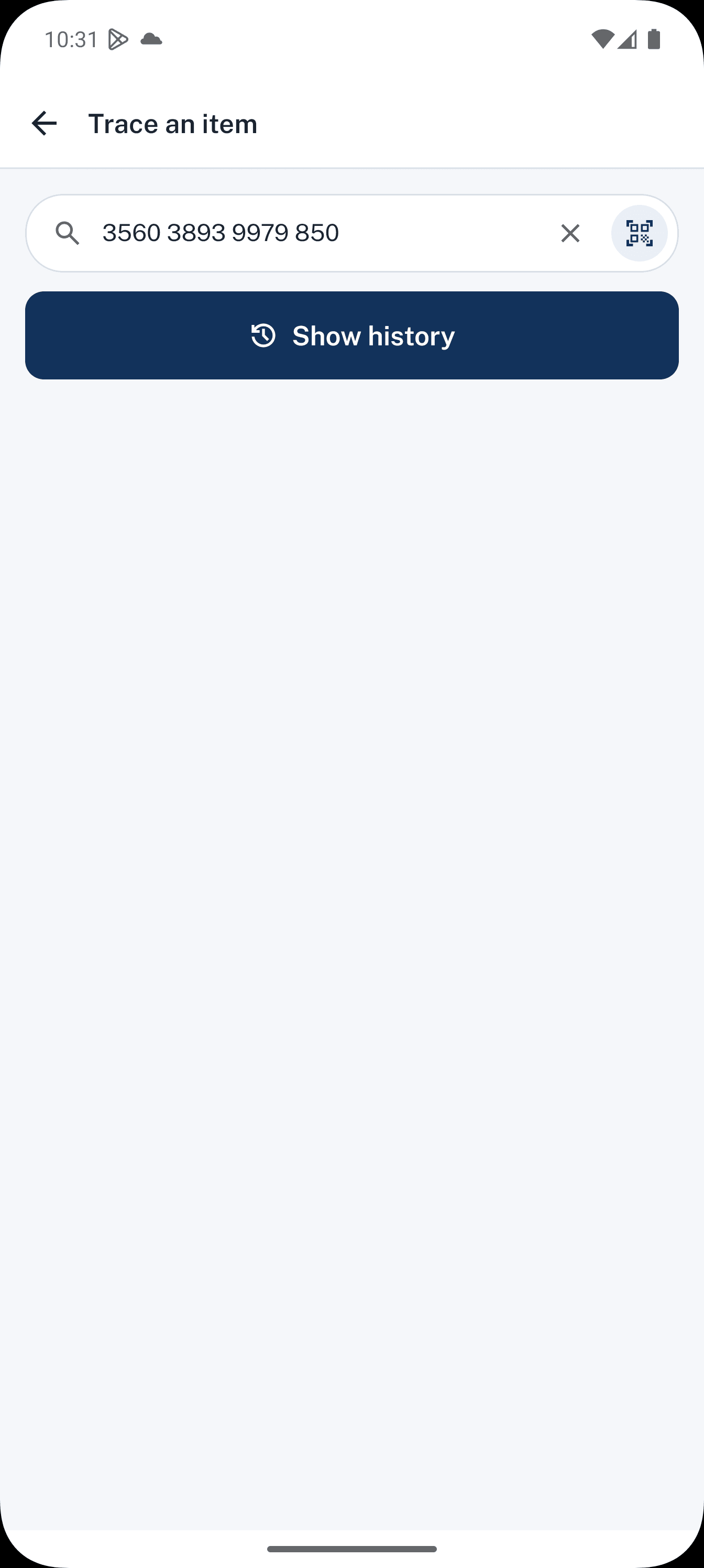
- From shipment to saleTRACED
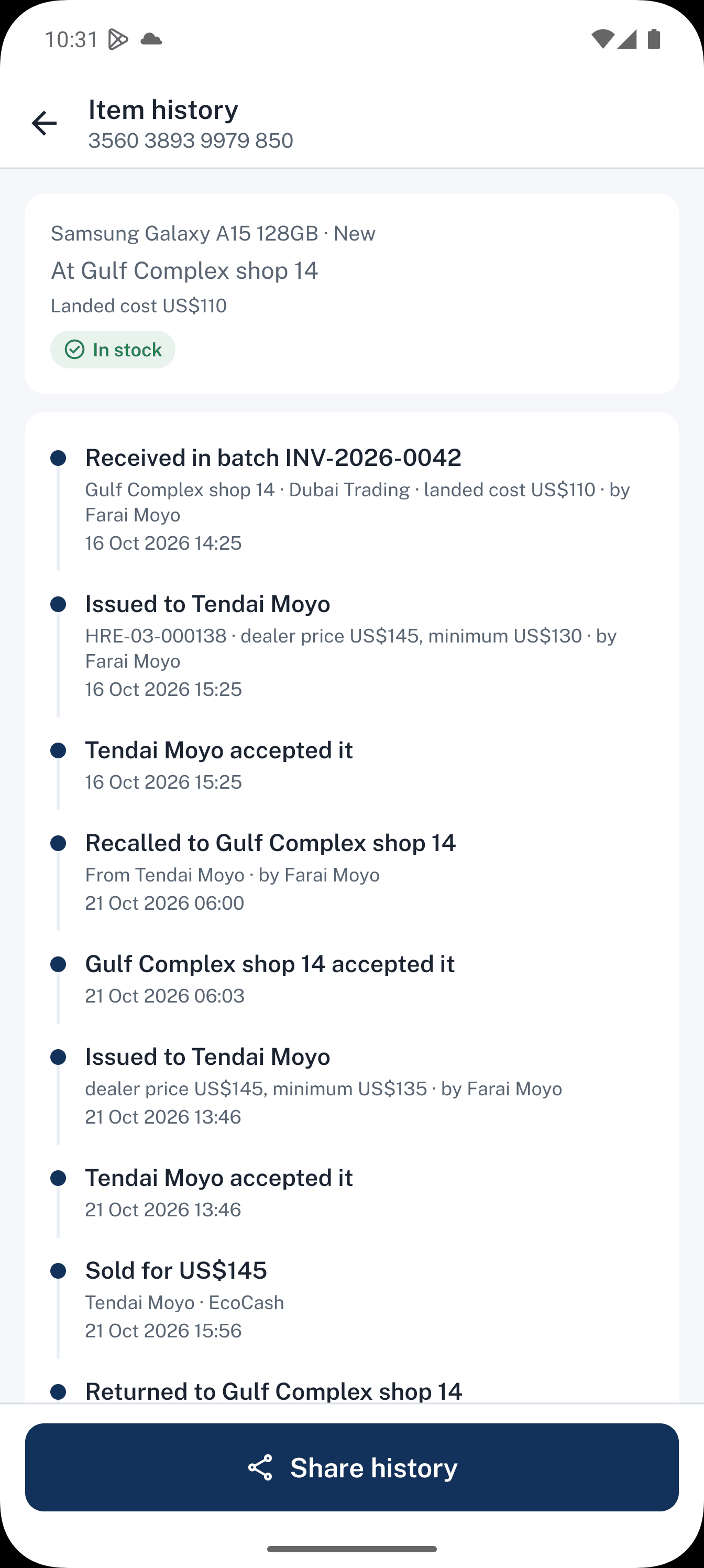
- Trade-in seller record
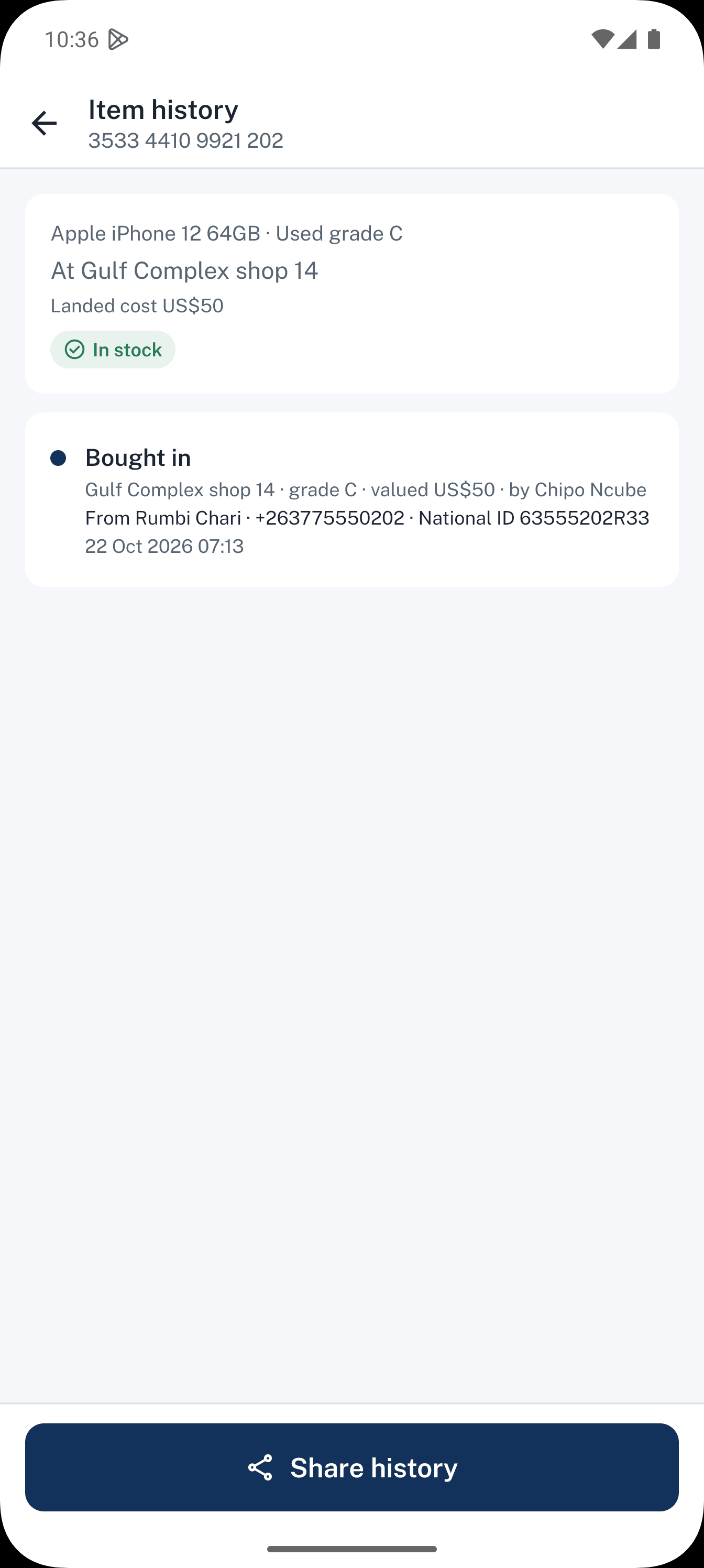
- History shared to WhatsApp
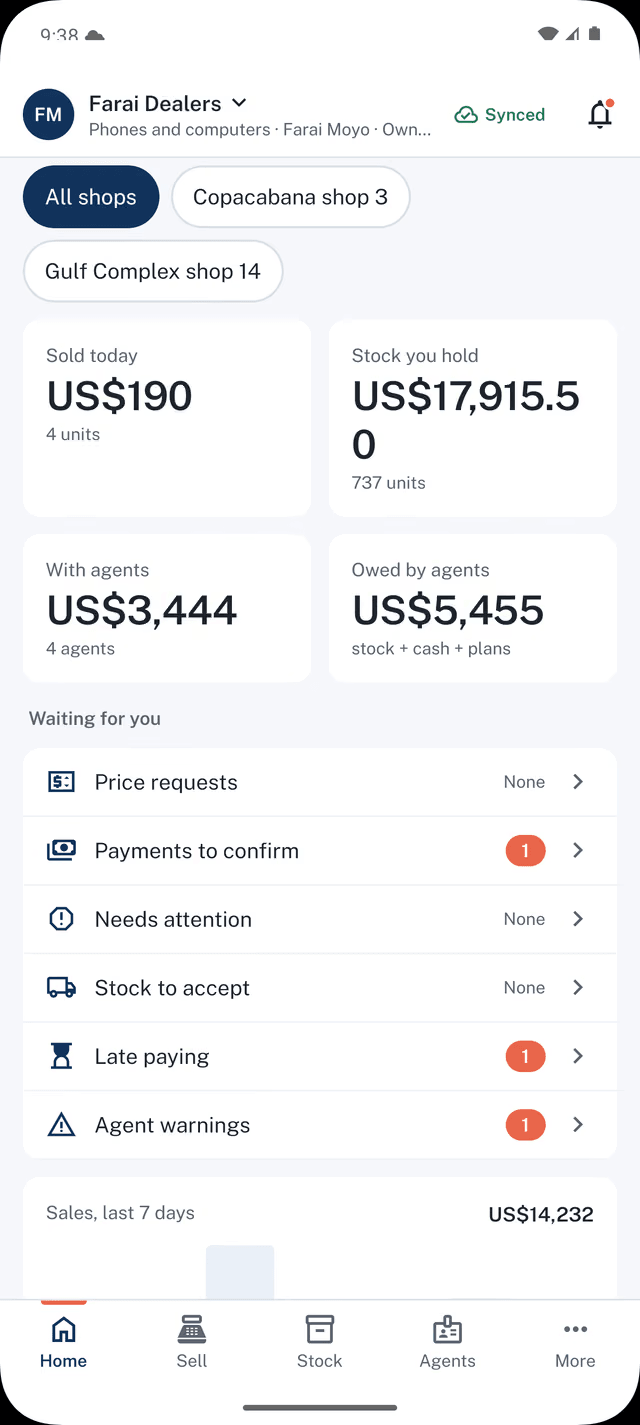
No. 010Watch
Run your shops from wherever you are.
When your shops' phones are online, you see each shop's day as it happens: the shift opening, each sale, a trade-in, the cash-up at close. You don't need to call anyone, or wait for each shop to send totals from its own book.
A phone that loses signal catches up as soon as it reconnects.
No. 011Restock
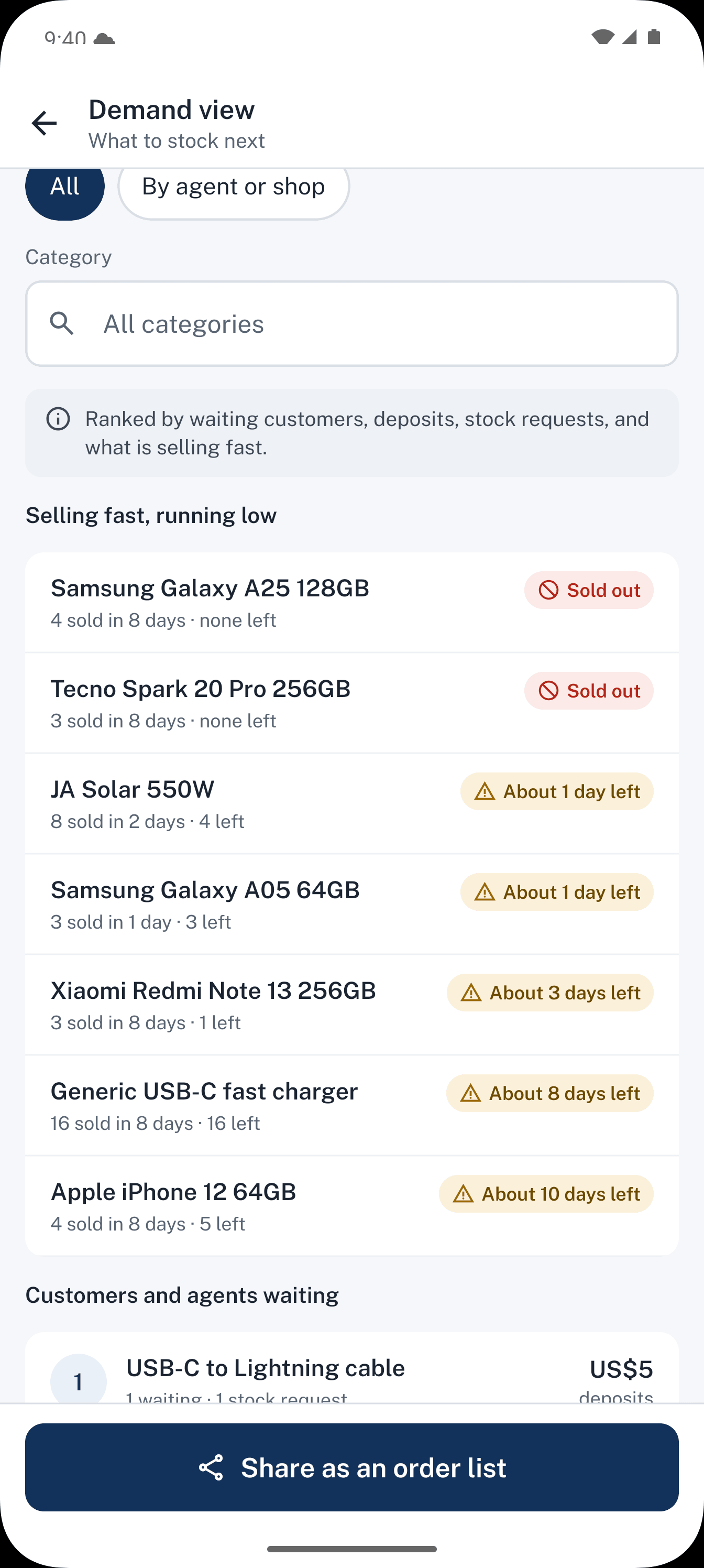
Know what to buy before you place the next order.
The demand view puts your next shipment in order: lines moving fast across your shops and agents, items customers keep asking for, orders with customers already waiting and deposits paid, and the stock your agents have requested.
Your shops and agents feed it as they sell and request, so it stays current.
Give stock to agents without losing sleep.
Stock that walks away is money gone, so many dealers never use agents. Dealpad lets you start with one agent and two phones, and give more as trust is earned.
- 1Set limits for each agent: how much stock they can hold, and how much cash they can carry before they pay you.
- 2Choose when they settle: daily, weekly, or once their cash reaches an amount you set.
- 3Run a surprise count. The agent scans what they hold and you see any gap straight away.
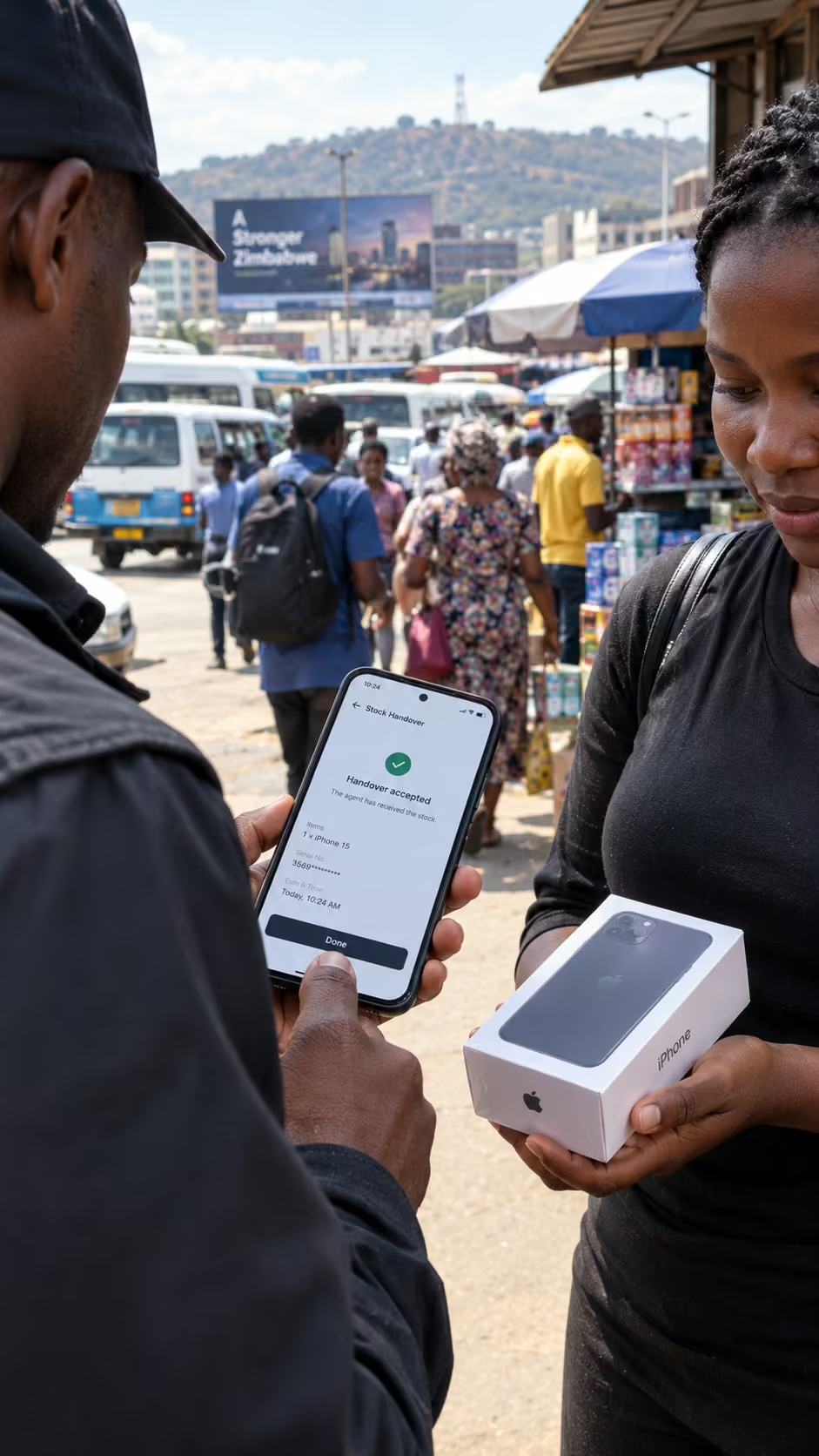
Each handover is accepted on the receiver's phone, so nobody can say they never got it.
Made for the way you trade here
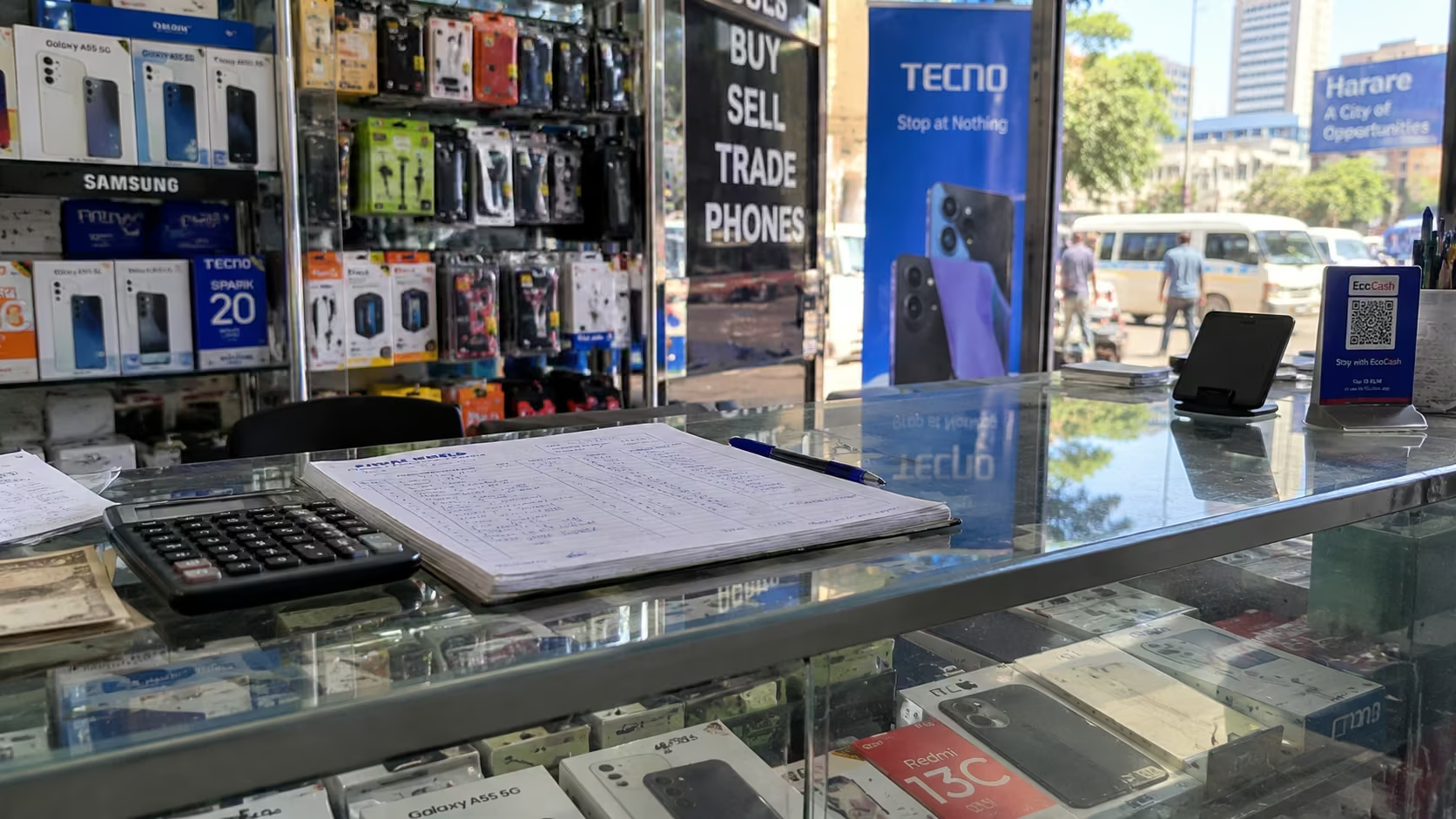
- Sell and record without signal. Dealpad sends your changes when you're back online, and each phone connects at least once every 7 days, or as often as you decide.
- Accepting stock and approving prices need a connection, because someone else has to respond. Price approvals also work with a code given over a phone call.
- Light on data. Only small changes are sent, and photos download only when you open them.
- US$ and ZiG at the rate you set, in cash or EcoCash, split however the customer pays.
- Built for everyday Android phones.
- Share products, statements and reports to WhatsApp.
- For dealers in electronics (phones, laptops and accessories) and solar.
Where Dealpad fits next to a POS app
A POS app is built around the till. Dealpad is built around stock that moves between people: your shops, your staff and your agents. Here is how they compare, including what Dealpad does not do yet.
| What it does | Typical POS app | Dealpad today | Counter book and WhatsApp |
|---|---|---|---|
| Fiscal receipts for ZIMRA | Typical POS appOften | Dealpad todayNot yet | Counter book and WhatsAppNo |
| Printed or WhatsApp receipts | Typical POS appUsually | Dealpad todayNot yet | Counter book and WhatsAppNo |
| Receipt printers | Typical POS appUsually | Dealpad todayNot yet | Counter book and WhatsAppNo |
| Cash drawers and card machines | Typical POS appOften | Dealpad todayNo | Counter book and WhatsAppNo |
| Payments taken inside the app | Typical POS appSometimes | Dealpad todayNot yet (records cash and EcoCash) | Counter book and WhatsAppNo |
| iPhone app | Typical POS appSometimes | Dealpad todayNot yet | Counter book and WhatsAppn/a |
| Restaurant tools | Typical POS appUsually | Dealpad todayNo | Counter book and WhatsAppNo |
| Online shop for customers | Typical POS appOften | Dealpad todayNo | Counter book and WhatsAppNo |
| Selling without signal | Typical POS appUsually | Dealpad todayYes | Counter book and WhatsAppYes |
| US$ and ZiG at your own rate | Typical POS appUsually | Dealpad todayYes | Counter book and WhatsAppBy hand |
| Agents holding your stock, each handover confirmed | Typical POS appNot usually | Dealpad todayYes | Counter book and WhatsAppFrom memory |
| Each agent's balance, kept up to date | Typical POS appNot usually | Dealpad todayYes | Counter book and WhatsAppAdded up by hand |
| Price approvals for agents and staff | Typical POS appNot usually | Dealpad todayYes | Counter book and WhatsAppPhone calls |
| Agent limits and surprise counts | Typical POS appNot usually | Dealpad todayYes | Counter book and WhatsAppNo |
| Each phone's history by IMEI, with holds | Typical POS appSometimes (serial numbers) | Dealpad todayYes | Counter book and WhatsAppPartly |
| Swap and top | Typical POS appNot usually | Dealpad todayYes | Counter book and WhatsAppBy hand |
| Orders and deposits for stock you don't have | Typical POS appNot usually | Dealpad todayYes | Counter book and WhatsAppIn the book |
| Payment plans that keep every changed date | Typical POS appSometimes (credit sales) | Dealpad todayYes | Counter book and WhatsAppIn the book |
| What to buy next, from sales, requests and waiting customers | Typical POS appSales reports | Dealpad todayYes | Counter book and WhatsAppGuesswork |
| Price | Typical POS appVaries by provider | Dealpad todayUS$15 a month or US$150 a year, agents and staff free | Counter book and WhatsAppFree |
If you need fiscal receipts at your till today, a fiscal POS is the right tool for that job for now. Dealpad runs the stock, the people and the money behind it.
Free for your agents
Agents and staff never pay. They see what they hold and what they owe, plus their commission on each sale, and their record protects them as much as it protects you.
Ask your dealer to invite you, then install Dealpad.
Download for AndroidVersion 1.0.0-2 · 66 MBOne plan, monthly or yearly.
- US$15a month
- US$150a year: 12 months for the price of 10
For your business, with agents and staff free. Pay by EcoCash or cash, and we switch your plan on when your payment arrives.
More plans will be announced later.
On iPhone? Get notified on WhatsApp.Refer a dealer, pay US$10 for a month or US$100 for a year
When a dealer you refer starts paying, your next month costs US$10 instead of US$15. If you pay yearly, your next year costs US$100 instead of US$150 once 5 dealers you refer are paying yearly. The discount applies once.
See the referral terms
Share your link from Settings, then Subscription, then Refer a dealer. If you pay monthly, your next month costs US$10 instead of US$15 once a dealer signs up through your link and makes a first payment. If you pay yearly, your next year costs US$100 instead of US$150 once 5 dealers sign up through your link and make a first yearly payment. Each business gets the referral discount once. Referring your own business, or the same business twice, does not count. We may change these terms with 30 days' notice, for example when new plans launch.
Questions
Is Dealpad a POS?
Can Dealpad replace my POS?
Does Dealpad print receipts?
What if there's no network?
Will it use much data?
Who can see what I paid for my stock?
Can I prove where a phone came from?
What if one of our phones is lost?
How do I install Dealpad on Android?
Start with your next shipment.
Install Dealpad on your Android phone and add your first stock today.
On iPhone? Dealpad for iPhone is on the way.
Message us on WhatsApp and we'll tell you when it's in the App Store.
Get notified on WhatsApp